
UC Browser-Safe, Fast, Private para PC
UCWeb Singapore Pte. Ltd.
Baixe UC Browser-Safe, Fast, Private no PC com o emulador GameLoop
UC Browser-Safe, Fast, Private no PC
UC Browser-Safe, Fast, Private, vindo do desenvolvedor UCWeb Singapore Pte. Ltd., está rodando no sistema Android no passado.
Agora, você pode jogar UC Browser-Safe, Fast, Private no PC com GameLoop sem problemas.
Faça o download na biblioteca GameLoop ou nos resultados da pesquisa. Chega de ficar de olho na bateria ou fazer chamadas frustrantes na hora errada.
Apenas aproveite o UC Browser-Safe, Fast, Private PC na tela grande gratuitamente!
UC Browser-Safe, Fast, Private Introdução
UC Browser: The Smart Internet Browser for Your Mobile Life
🌏Fast VPN | 🔍AI Search |🎬Video downloader |☁️ ️UC Drive
🔐Private Browser & Security Online
Protect your IP and traffic with our private browsing mode,also known as incognito browser mode. As a secure browser, UC Browser ensures your online activity remains private. Use the fast VPN to encrypt data and keep you safe while accessing the global internet with enhanced security
🎬Video Downloader & Offline Streaming
Save videos using the integrated video downloader. Enjoy the video player and stream your favorite content offline. This feature saves time and data, and helps you organize your downloads efficiently, perfect for your mobile life on the go.
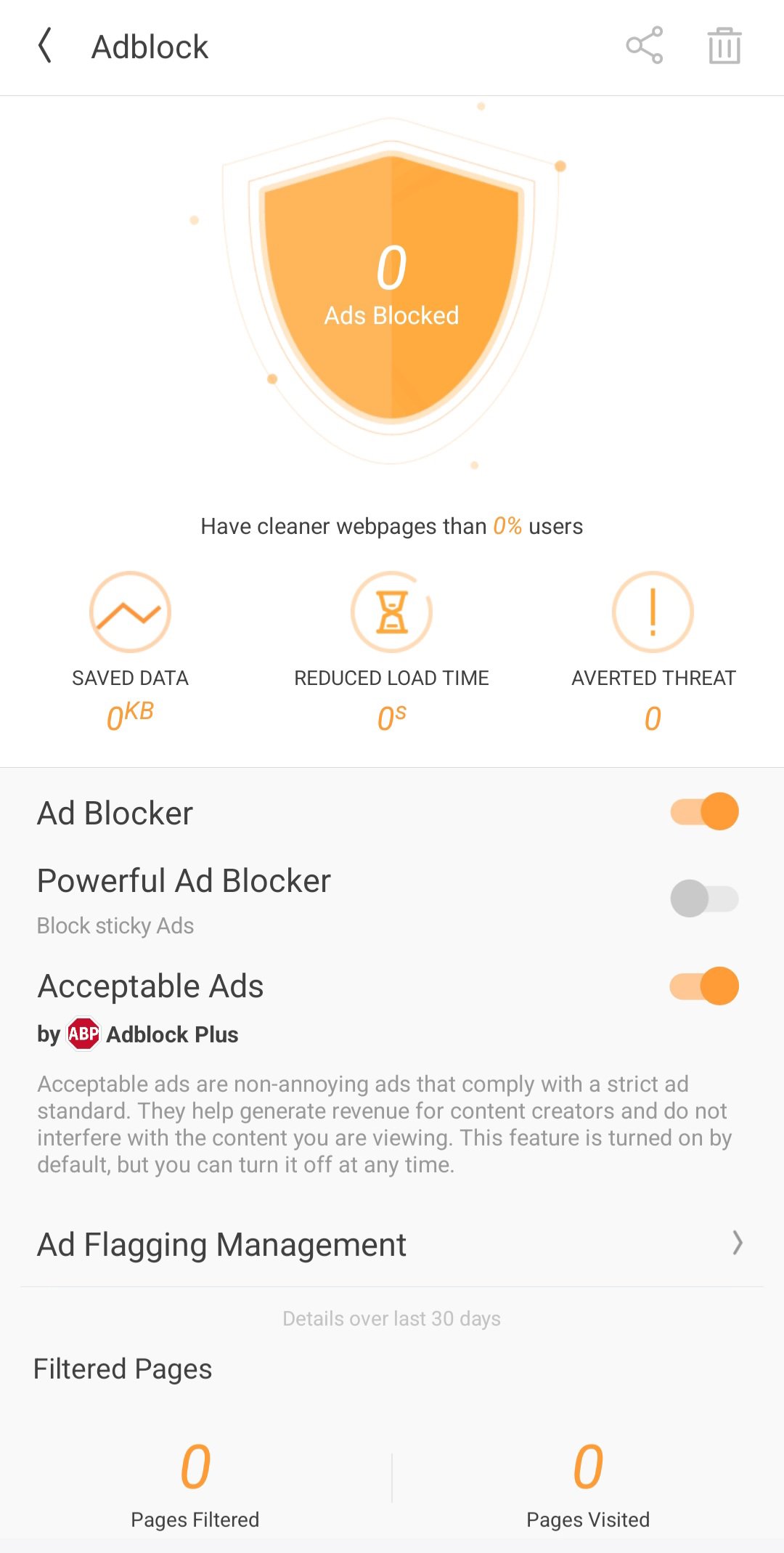
🚫 Ad Blocker for Fast Performance
Activate the adblocker to remove web ads and pop-ups, ensuring no ads interrupt your browsing. By blocking distractions, you enjoy seamless, safe navigation and reduced load time while browsing sites and apps within the web browser.
🔍 Smart Search with AI & GPT
Our advanced search engine helps you find news and even your browsing history. Whether you need to translate documents, locate specific content, GPT makes your internet exploration efficient.
🌐 Translate & Global Access
Break language barriers with built-in translate tools supporting multi-language AI and chat more effectively with others. Gain access to global content and more, converting text in real-time for a smooth browsing experience.
📁 UC Drive: Cloud Storage for Videos
Store your videos in 20GB cloud storage via UC Drive. Access your collection anywhere for an organized life.
⚡ Why Choose UC Browser?
Fast VPN: Secure your IP, keep you safe, and browse private.
Ad Blocker: Fast loading without interruptions.
Video Downloader: Save videos for offline streaming and manage your downloads with ease.
Free & Fast: Enjoy a fast and free internet browser, available on Play Store.
Regular Updates: Stay ahead with the latest improvements and new features.
📞 Support & Assistance
In the event of any issues, please follow the steps below for immediate assistance:Open the Application and navigate to Menu → Feedback. Submit your inquiry via the integrated feedback system.
Alternatively, contact us directly through the official channels listed below.
● Official Website: https://ucweb.com
● Facebook: http://www.facebook.com/ucbrowserindonesia
● X: https://x.com/ucbrowserindo
● YouTube: http://www.youtube.com/ucwebvideo
Visualizar
Tag
ComunicaçãoEm formação
Desenvolvedor
UCWeb Singapore Pte. Ltd.
Última versão
13.4.2.1307
Ultima atualização
2026-09-04
Categoria
Comunicação
Mostre mais
Como jogar UC Browser-Safe, Fast, Private com GameLoop no PC
1. Baixe o GameLoop do site oficial e execute o arquivo exe para instalar o GameLoop.
2. Abra o GameLoop e procure por “UC Browser-Safe, Fast, Private”, encontre UC Browser-Safe, Fast, Private nos resultados da pesquisa e clique em “Install”.
3. Divirta-se jogando UC Browser-Safe, Fast, Private no GameLoop.
Minimum requirements
OS
Windows 8.1 64-bit or Windows 10 64-bit
GPU
GTX 1050
CPU
i3-8300
Memory
8GB RAM
Storage
1GB available space
Recommended requirements
OS
Windows 8.1 64-bit or Windows 10 64-bit
GPU
GTX 1050
CPU
i3-9320
Memory
16GB RAM
Storage
1GB available space