Cube Solver PC
JeffProd
Download Cube Solver on PC With GameLoop Emulator
Cube Solver on PC
Cube Solver, coming from the developer JeffProd, is running on Android systerm in the past.
Now, You can play Cube Solver on PC with GameLoop smoothly.
Download it in the GameLoop library or search results. No more eyeing the battery or frustrating calls at the wrong time any more.
Just enjoy Cube Solver PC on the large screen for free!
Cube Solver Introduction
Stuck on a cube? Get the 3D solution in seconds.
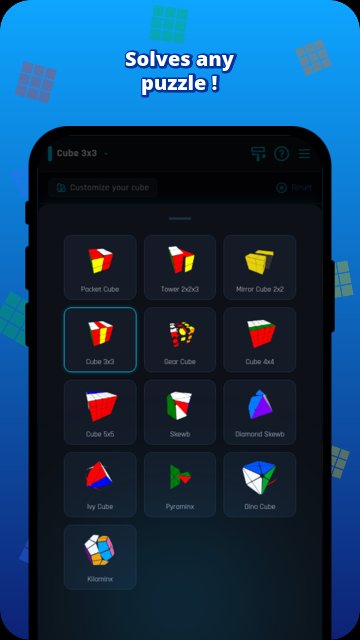
⭐ Also solves the 2x2 Mirror Cube and the Gear Cube.
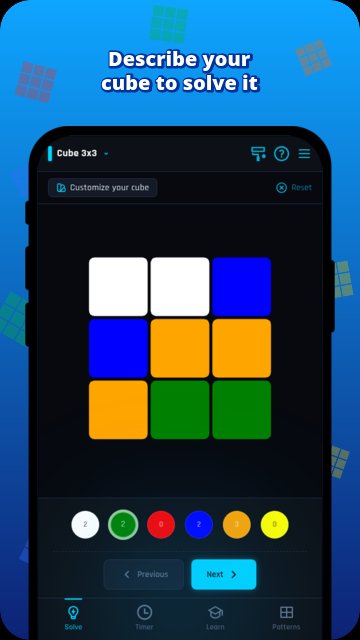
Just describe your puzzle — the app does the rest.
— 2x2 cube solver (Pocket, Mirror & Tower Cube): 14 moves or less
— 3x3 cube solver: ~27 moves
— 4x4 cube solver: ~63 moves
— 5x5 cube solver: ~136 moves
— Skewb solver: 11 moves maximum
— Skewb Diamond solver: 10 moves maximum
— Pyraminx solver: 11 moves
— Ivy Cube solver: 8 moves maximum
— Dino Cube solver: 11 moves maximum
— Kilominx solver: ~44 moves
— Gear Cube solver: 12 moves maximum
🏁 SPEEDCUBING MODE
Race against yourself with random shuffles, a built-in cube timer, and detailed statistics. Track your personal bests and improve your times session after session.
📚 LEARN, CREATE & EXPLORE PATTERNS
Follow step-by-step lessons to learn solving techniques from scratch. Then go further: create your own patterns or recreate iconic designs — country flags and classics included. A great way to turn your cube into a canvas.
🎨 MULTIPLE CUBE DESIGNS
Choose from several visual styles, including a color-blind friendly design — so everyone can enjoy cubing, whatever their vision.
Your cube, solved step by step.
Preview
Tags
CasualSingle playerAbstractOfflineLogicRealisticInformation
Developer
JeffProd
Latest Version
5.1.0
Last Updated
2026-10-04
Category
Puzzle
Show More
How to play Cube Solver with GameLoop on PC
1. Download GameLoop from the official website, then run the exe file to install GameLoop
2. Open GameLoop and search for “Cube Solver” , find Cube Solver in the search results and click “Install”
3. Enjoy playing Cube Solver on GameLoop
Minimum requirements
OS
Windows 8.1 64-bit or Windows 10 64-bit
GPU
GTX 1050
CPU
i3-8300
Memory
8GB RAM
Storage
1GB available space
Recommended requirements
OS
Windows 8.1 64-bit or Windows 10 64-bit
GPU
GTX 1050
CPU
i3-9320
Memory
16GB RAM
Storage
1GB available space