
My Calendar - Simple Planner 電腦版
Komorebi Inc.
用GameLoop模拟器在電腦上玩My Calendar - Simple Planner
My Calendar - Simple Planner 電腦版
來自發行商 Komorebi Inc. 的 My Calendar - Simple Planner 能夠在安卓系統上運行。
現在,您可以在電腦上使用 GameLoop 模擬器流暢地玩 My Calendar - Simple Planner。
在 GameLoop 遊戲庫或搜索結果中下載。 不需要再暢玩遊戲時盯著電池電量或被令人懊惱的來電打斷。
只需在電腦大屏幕上免費下載暢玩My Calendar - Simple Planner 電腦版!
My Calendar - Simple Planner 簡介
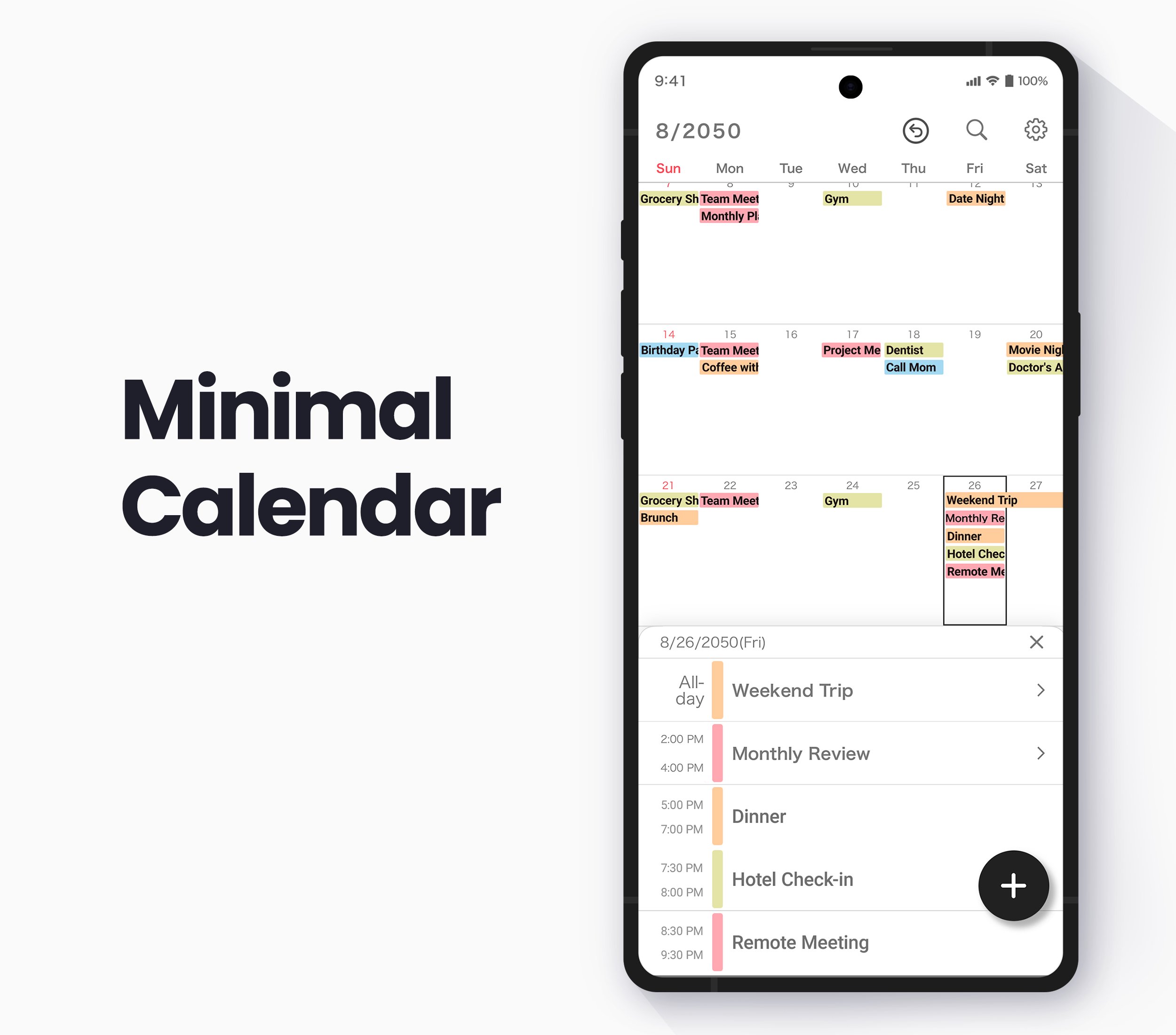
My Calendar is a simple calendar app built for people who want to see their month clearly, customize the look, and keep their schedule private.
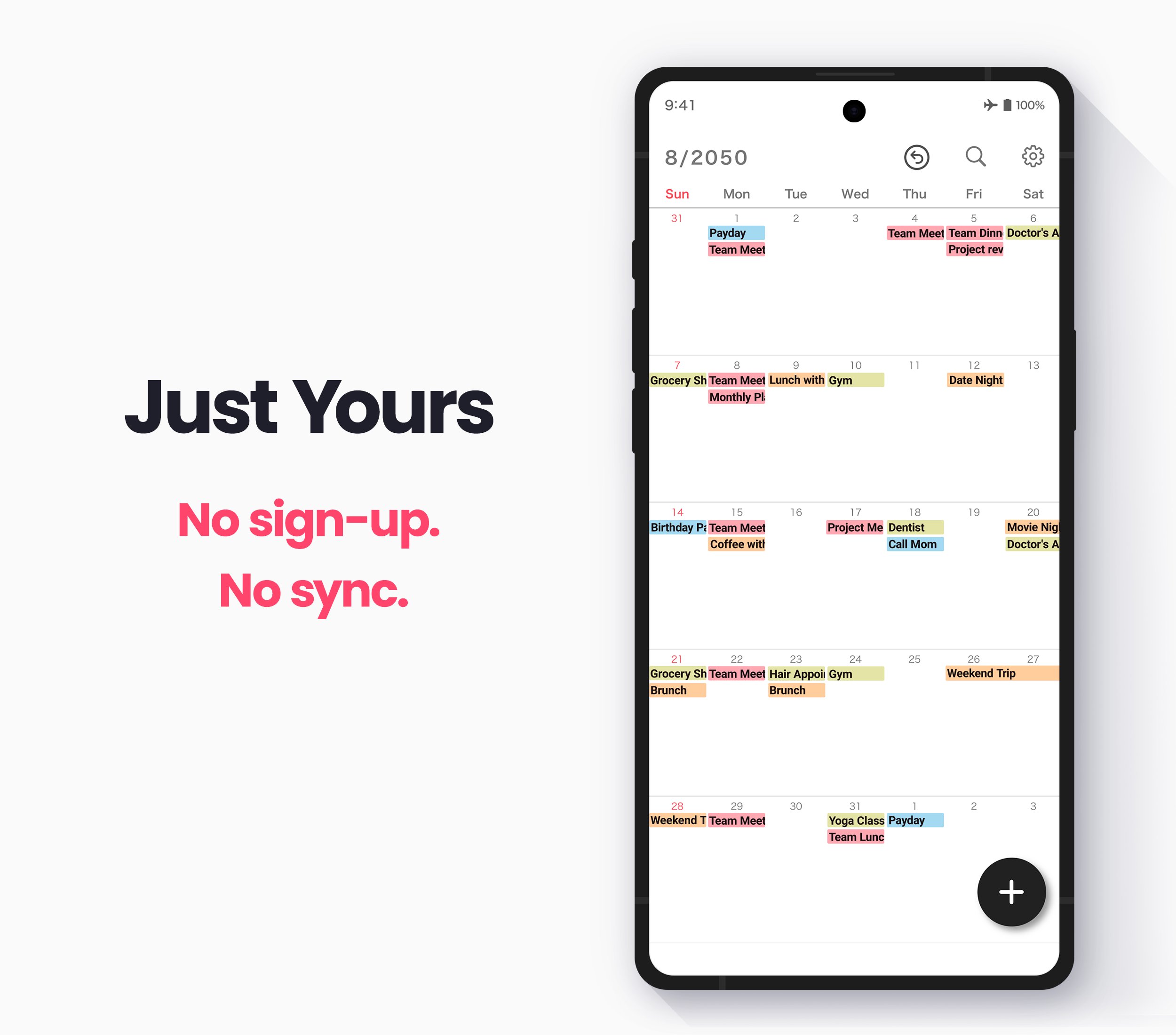
The app opens to a clean monthly calendar screen with no tab bar. You can check your plans at a glance, tap a date, add an event, and get back to your day without moving through multiple screens.
There is no account setup or calendar sync required. You can use it offline, manage your schedule locally, and keep personal plans separate from cloud-based calendar services.
You can also set your favorite wallpaper behind the calendar, choose theme colors, adjust font sizes, and use color labels to make your month easier to read.
Main Features
* Clean monthly calendar screen with no tab bar
* No account required
* Offline use and local schedule management
* Custom wallpaper settings
* Home screen widgets
* 35 color labels for events and time blocks
* 50 theme colors
* Dark mode themes
* Font size adjustment with 10 sizes
* Notes, URLs, and map information
* Reminders and alarms
* Add the same event to multiple dates at once
* Recurring events
* Passcode lock for privacy protection
* Google Drive backup and data transfer between devices
* Option to remove ads with in-app purchase
See the Whole Month in One Place
The monthly view is designed to stay simple.
Instead of switching between many tabs or planner views, you can keep your month in front of you and quickly understand what is coming up. This is useful for appointments, work plans, school events, family plans, holidays, routines, and personal reminders.
Make the Calendar Feel Personal
You can set a wallpaper behind the calendar and change the look to match your style.
Theme colors, font size settings, and color labels help make the calendar easier to read. Use colors to separate different types of plans, highlight important days, or make busy weeks easier to understand.
Dark mode themes are also available if you prefer a darker look.
Private, Local, and Offline
This calendar is designed for personal schedule management.
You do not need to sign in or connect another calendar service. Your plans can be managed locally, and the app can be used even when you are offline.
For extra privacy, you can protect the calendar with a passcode lock.
There is no event sharing and no automatic cloud sync in this app. These features are left out on purpose. Your schedule stays on your device unless you choose to back it up, so the calendar remains simple and private.
Widgets for Quick Checking
Add widgets to your home screen to check upcoming plans without opening the app.
Widgets are useful when you want to quickly see what is next during the day.
Backup and Device Transfer
You can back up your schedule to Google Drive or export it manually at any time.
When you change devices, you can restore a backup and continue using your calendar. You can also transfer data between this app and its iPhone or iPad version.
Simple Calendar for Everyday Use
Use it for work, study, appointments, holidays, birthdays, routines, notes, and private plans.
It also works well as a second calendar when you want to keep certain plans separate from your main calendar account.
Free to Use with a Premium Option
My Calendar is free to download and use, with ads shown in the app. The Premium Service subscription removes ads and provides access to all theme colors, unlimited wallpaper changes, unlimited date background color changes, and priority support.
Start managing your month with a clean, private, and customizable calendar.
預覽
標籤
效率提升訊息
開發商
Komorebi Inc.
最新版本
3.3.0
更新時間
2026-10-11
類別
效率提升
同時可用
Google Play
更多
如何在電腦上用 GameLoop 玩 My Calendar - Simple Planner
1. 從官網下載GameLoop,然後運行exe文件安裝GameLoop
2. 打開GameLoop,搜索“My Calendar - Simple Planner”,在搜索結果中找到My Calendar - Simple Planner,點擊“安裝”
3. 享受在 GameLoop 上玩 My Calendar - Simple Planner 的樂趣
Minimum requirements
OS
Windows 8.1 64-bit or Windows 10 64-bit
GPU
GTX 1050
CPU
i3-8300
Memory
8GB RAM
Storage
1GB available space
Recommended requirements
OS
Windows 8.1 64-bit or Windows 10 64-bit
GPU
GTX 1050
CPU
i3-9320
Memory
16GB RAM
Storage
1GB available space