
Game Turbo Vol. Booster & HUD para PC
scoreboot
Descarga Game Turbo Vol. Booster & HUD en PC con GameLoop Emulator
Game Turbo Vol. Booster & HUD en PC
Game Turbo Vol. Booster & HUD, proveniente del desarrollador scoreboot, se ejecuta en el sistema Android en el pasado.
Ahora, puedes jugar Game Turbo Vol. Booster & HUD en PC con GameLoop sin problemas.
Descárgalo en la biblioteca de GameLoop o en los resultados de búsqueda. No más mirar la batería o llamadas frustrantes en el momento equivocado nunca más.
Simplemente disfrute de Game Turbo Vol. Booster & HUD PC en la pantalla grande de forma gratuita!
Game Turbo Vol. Booster & HUD Introducción
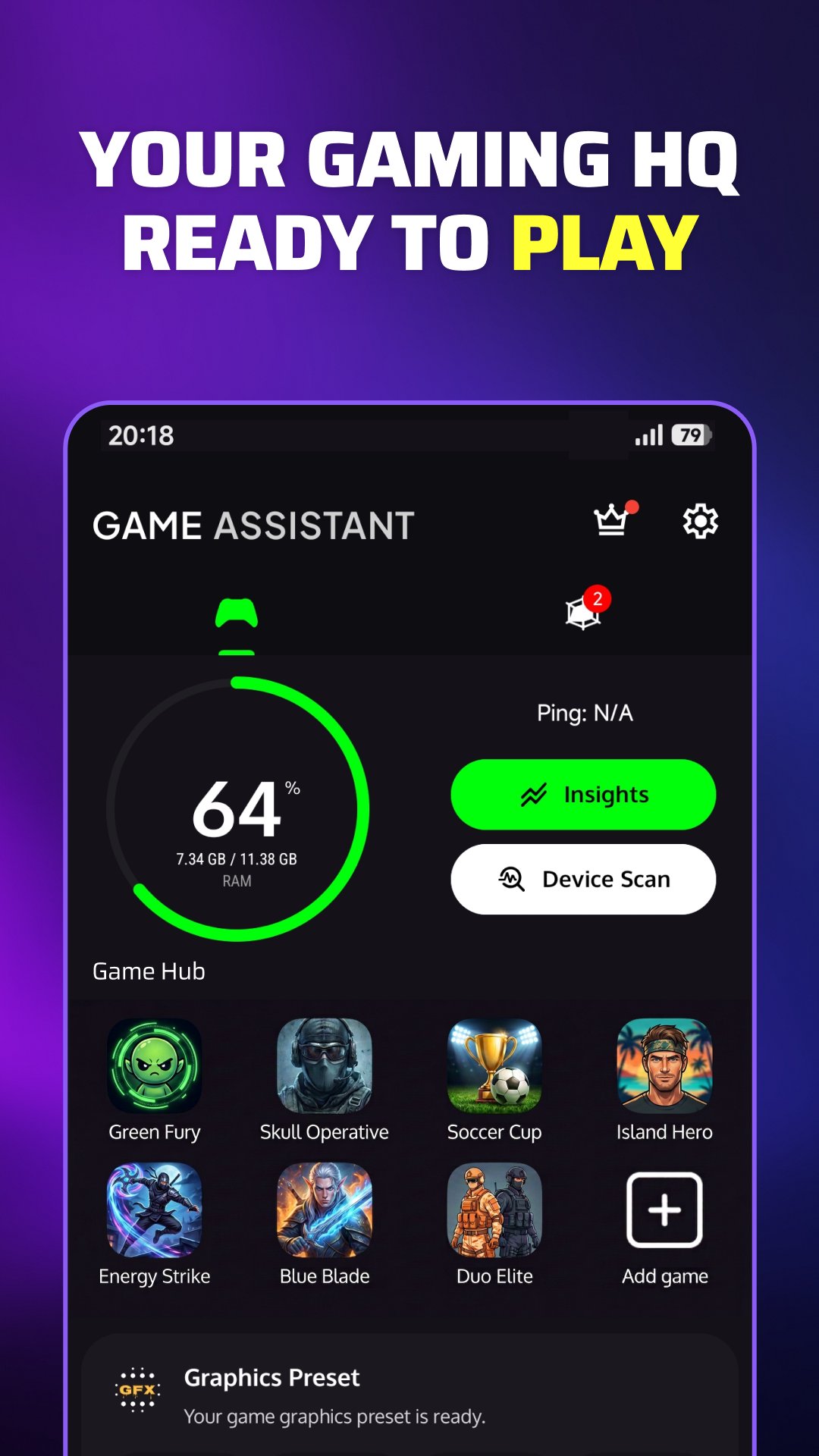
Game Assistant brings your gaming hub, game launcher and in-game tools together in one place.
Quickly access installed games from your game space using the built-in game launcher, open the Gaming Panel during play, follow frame-rate readings with the FPS Meter, boost game audio with Game Volume Booster, and get GFX Tips with device-based graphics guidance for supported games.
⚡ Gaming Panel
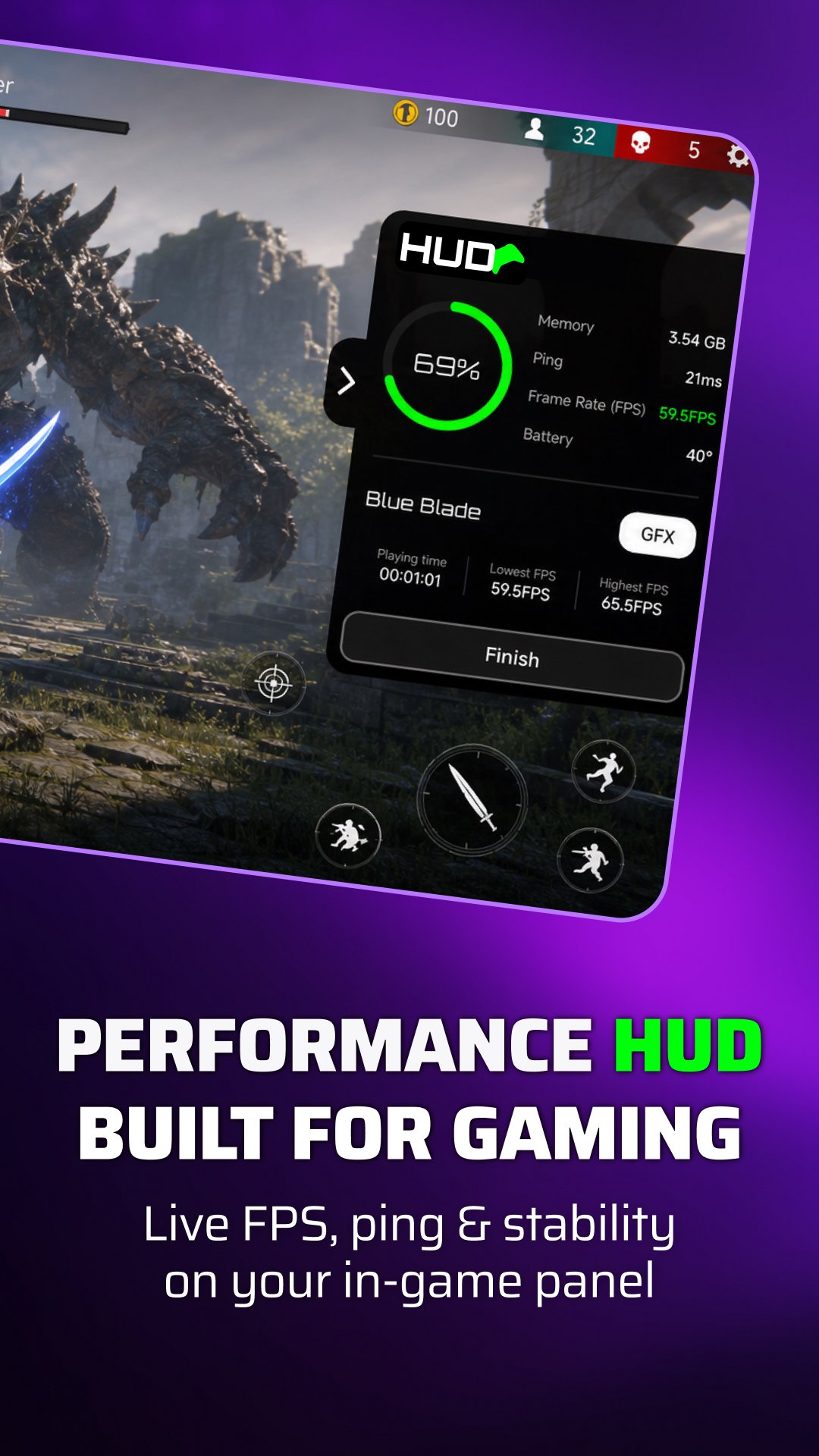
Open the Gaming Panel while you play to see supported live information. Keep it compact for FPS and ping, or expand it to view RAM usage, battery information and session time.
The panel appears as an in-game overlay so supported readings can remain visible without leaving the game.
🎮 Gaming Hub
Keep your installed games together and start them from the built-in game launcher. The gaming hub gives you one place to access your games and gaming tools.
🔊 Game Volume Booster & Game Detail
Use Game Volume Booster to boost game volume during HUD sessions on supported devices. Game Detail adjusts frequency bands to help existing sounds, such as footsteps and voices, stand out more clearly.
Volume Booster effects may also affect other apps and system sounds while the Gaming Panel is active. Results depend on your device and audio system.
High volume can damage hearing and may physically damage your device's speaker. Start low and increase carefully.
🎯 FPS Meter
Use the FPS Meter to follow supported frame-rate or display refresh-rate readings. Depending on the game, device and Android version, available readings may include 60, 90 or 120 FPS or Hz.
For supported devices, Real FPS Mode uses the optional Shizuku app to read frame timing for the foreground game. Shizuku must be installed and running, its permission must be approved for Game Assistant, and Usage Access is required.
Real FPS Mode uses a restricted set of Android display diagnostic commands. Package and display-layer information and raw frame-timing output are processed on your device and are not uploaded.
Shizuku is a separate third-party Android service. Game Assistant is not affiliated with Shizuku and does not root your device. Availability varies by device, Android version and game.
When direct game FPS is unavailable, the displayed value may reflect the device's display refresh rate in Hz rather than the game's actual rendered FPS.
After the session, review average FPS, frame-rate stability, ping and smoothness through Game Insights and the post-game report.
🛠️ Device-Based GFX Tips
Get graphics suggestions based on your device for supported games. Recommendations can include frame rate, resolution, graphics quality, shadow quality and other available graphics options.
Nothing is changed automatically. Review the suggestions and adjust settings manually inside the game if you want to use them.
📶 Game Insights & Session Information
Follow live ping and network latency while you play, check useful device conditions before starting, and review local session history, smoothness, FPS and ping information afterward through Game Insights and the post-game report.
You can also check supported device information such as available memory, storage, battery level, battery temperature and network status when needed.
🏠 Game Space Home Screen Widget
Use the Home Screen Widget as a quick shortcut to your game space and installed games.
Game Assistant powers the experience before, during and after you play.
Features, audio effects and readings are informational and may vary depending on the device, Android version, game and system limitations.
Avance
Etiquetas
Libraries-&HerramientasProductividadPersonalizaciónInformación
Desarrollador
scoreboot
La última versión
26.8r
Última actualización
2026-10-07
Categoría
Libraries-demo
Disponible en
Google Play
Mostrar más
Cómo jugar Game Turbo Vol. Booster & HUD con GameLoop en PC
1. Descargue GameLoop desde el sitio web oficial, luego ejecute el archivo exe para instalar GameLoop.
2. Abra GameLoop y busque "Game Turbo Vol. Booster & HUD", busque Game Turbo Vol. Booster & HUD en los resultados de búsqueda y haga clic en "Instalar".
3. Disfruta jugando Game Turbo Vol. Booster & HUD en GameLoop.
Minimum requirements
OS
Windows 8.1 64-bit or Windows 10 64-bit
GPU
GTX 1050
CPU
i3-8300
Memory
8GB RAM
Storage
1GB available space
Recommended requirements
OS
Windows 8.1 64-bit or Windows 10 64-bit
GPU
GTX 1050
CPU
i3-9320
Memory
16GB RAM
Storage
1GB available space