Sygic: GPS Navigation & Maps para PC
Sygic.
Descarga Sygic: GPS Navigation & Maps en PC con GameLoop Emulator
Sygic: GPS Navigation & Maps en PC
Sygic: GPS Navigation & Maps, proveniente del desarrollador Sygic., se ejecuta en el sistema Android en el pasado.
Ahora, puedes jugar Sygic: GPS Navigation & Maps en PC con GameLoop sin problemas.
Descárgalo en la biblioteca de GameLoop o en los resultados de búsqueda. No más mirar la batería o llamadas frustrantes en el momento equivocado nunca más.
Simplemente disfrute de Sygic: GPS Navigation & Maps PC en la pantalla grande de forma gratuita!
Sygic: GPS Navigation & Maps Introducción
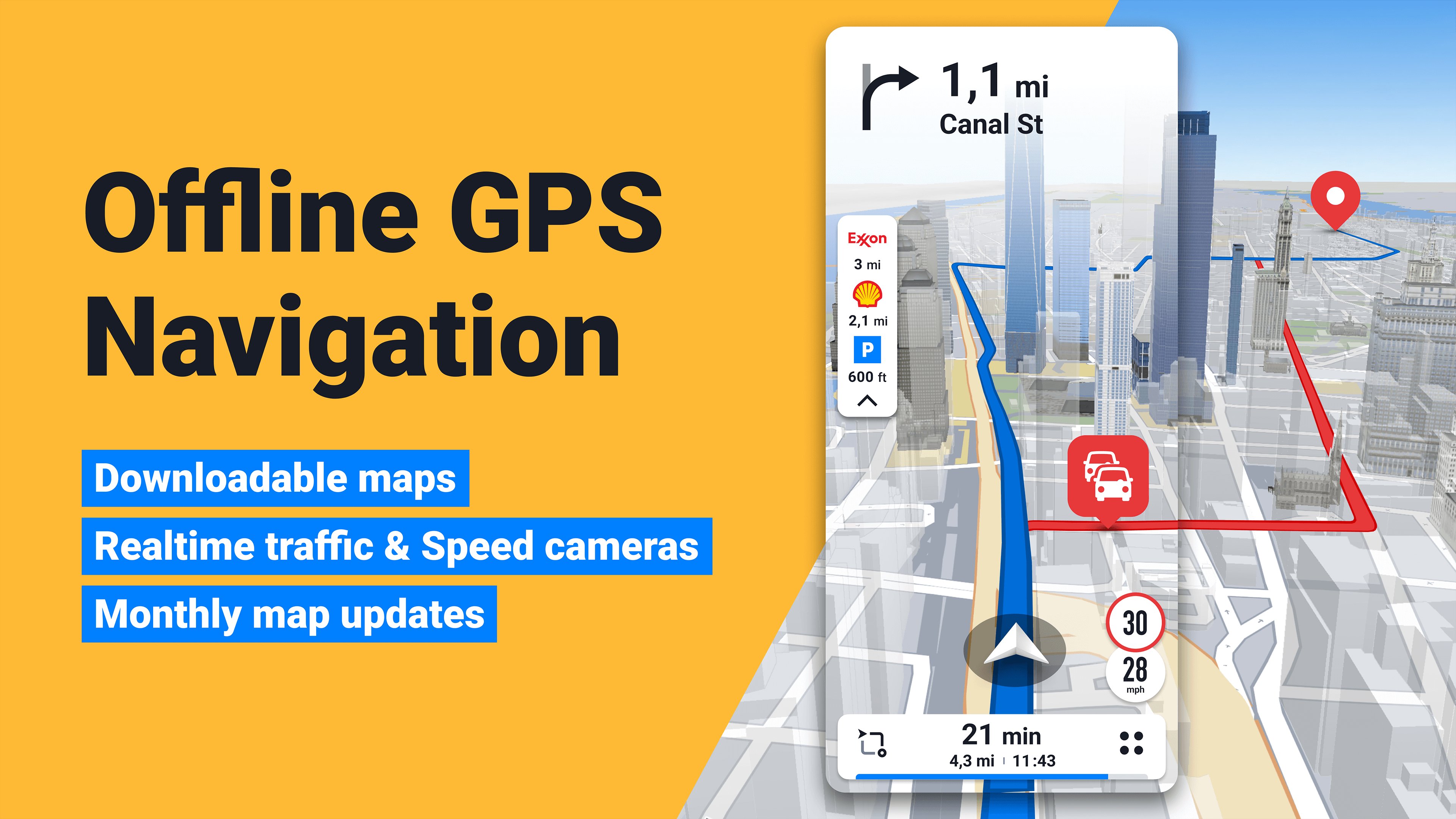
🚗 GPS navigation with offline maps and live traffic
Sygic GPS Navigation & Maps is a reliable everyday navigation app, trusted by more than 200 million drivers worldwide. It combines detailed 3D offline maps, driving directions with voice guidance, live traffic information, speed camera alerts, Android Auto & CarPlay support and a dedicated Motorbike Mode.Whether you commute every day, head out on a vacation road trip or plan a motorcycle tour, Sygic helps you plan routes with its built-in route planner, follow unfamiliar roads with voice GPS directions and navigate even without an internet connection.
🗺️ Navigate anywhere with offline maps
Sygic stores detailed maps on your phone, so you can use free GPS navigation even in areas with poor or no cell service. The 3D maps show accurate road details.• Use offline maps with detailed roads, landmarks and millions of points of interest
• Follow driving directions with voice GPS guidance, clear instructions and spoken street names
• Search addresses, places and favorites right in the app
• Preview destinations with satellite maps
🛣️ Plan routes and get around traffic delays
Plan any trip with a flexible route planner, from your daily commute to a long road trip. The route planner calculates your route and lets you add stops and adjust your trip.• Use the route planner to tailor each route to your trip
• Get voice GPS navigation with clear turn-by-turn driving directions
• Avoid traffic jams with live traffic information based on data from more than 200 million users worldwide*
• Get live traffic updates and faster route suggestions based on road conditions
• Receive speed camera alerts and speed limit warnings as you drive
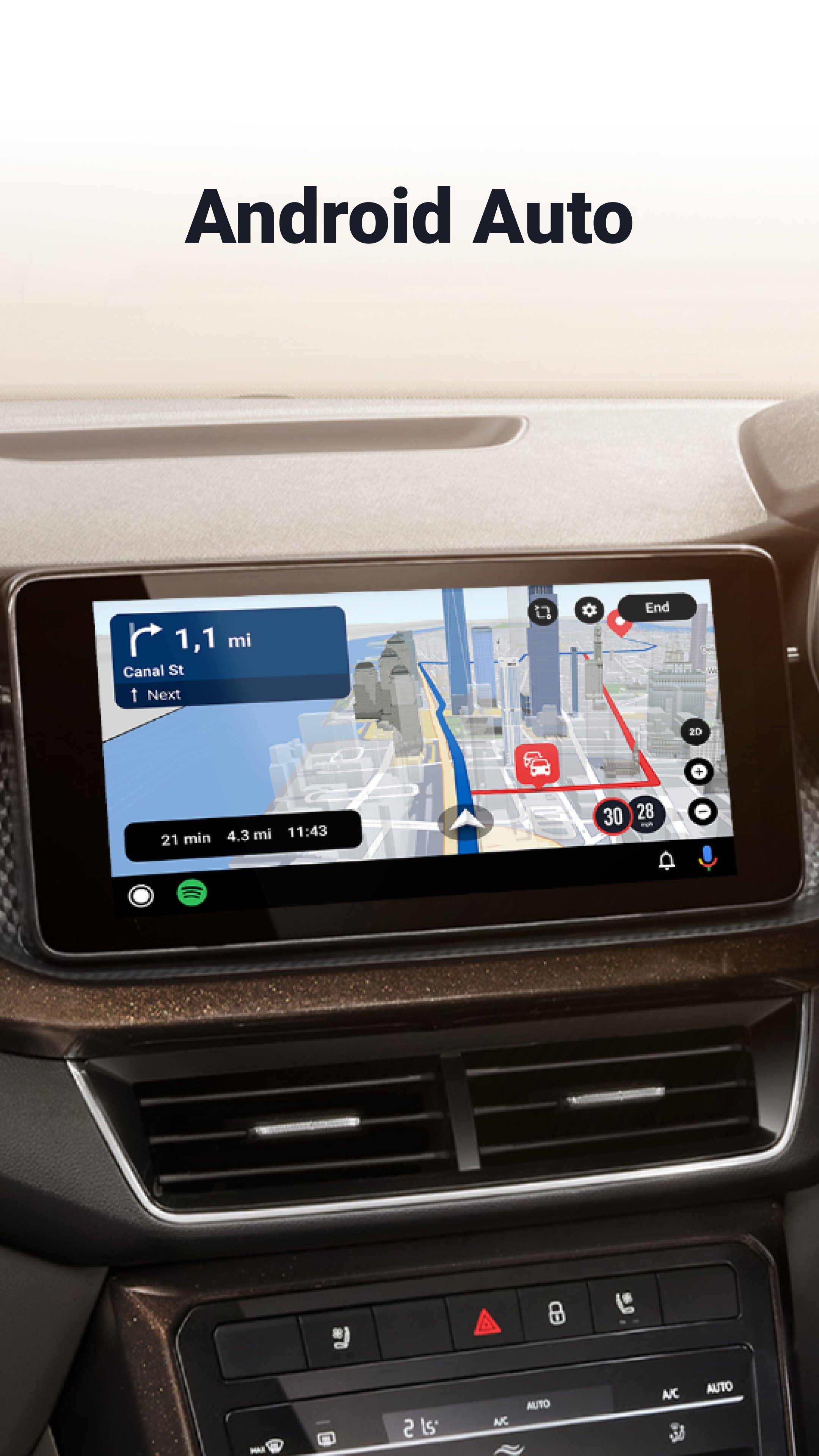
📱 Use Sygic with Android Auto & CarPlay
Use Sygic on your car's display with Android Auto and CarPlay support. Access maps, routes from the route planner and voice GPS directions through your vehicle's touchscreen, controls or buttons.🏍️ Navigate with Motorbike Mode
Motorbike Mode, available as an in-app purchase, adds GPS navigation built for riders and touring.• Find more enjoyable roads with Twisty Route
• Import GPX files to follow your own routes
• Check live weather along your route
• Use the glove-friendly interface with large buttons and high contrast
• Track elevation and riding data during your trip
• Get rider-focused safety alerts and use offline maps even without cell service
🛡️ Drive safer with advanced navigation features
Beyond voice GPS navigation, Sygic includes advanced driving tools for unfamiliar roads. Most of these features require Premium+.• Dynamic Lane Assistant guides you into the correct lane
• Head-Up Display (HUD) projects navigation information onto your windshield
• Traffic Sign Recognition detects speed limits from traffic signs
• Real View Navigation uses augmented reality for clearer guidance
• Dashcam records the road ahead and saves footage in case of an accident
⛽ Useful tools for every trip
Find practical information along your route with features designed for drivers.• Look up parking options and gas prices
• Share your estimated arrival time and current location
• Use walking directions for sightseeing
• Save on roaming charges with offline maps while traveling abroad
Sygic combines GPS navigation, offline maps, a route planner, live traffic, speed camera and radar alerts, and voice GPS navigation in one complete navigation app.
Premium+ unlocks advanced navigation features, including live traffic, speed camera alerts, driving assistance tools, SmartCam features, HUD, Android Auto & CarPlay connectivity and monthly map updates. Additional features, including Motorbike Mode for motorcycle riders, are available as in-app purchases. Download Sygic and plan your next route. Your everyday navigation app for reliable routes, every drive.
*Some features require an internet connection.
Avance
Etiquetas
Maps-&Travel-&Información
Desarrollador
Sygic.
La última versión
26.6.2-121046
Última actualización
2026-10-15
Categoría
Maps-navigation
Disponible en
Google Play
Mostrar más
Cómo jugar Sygic: GPS Navigation & Maps con GameLoop en PC
1. Descargue GameLoop desde el sitio web oficial, luego ejecute el archivo exe para instalar GameLoop.
2. Abra GameLoop y busque "Sygic: GPS Navigation & Maps", busque Sygic: GPS Navigation & Maps en los resultados de búsqueda y haga clic en "Instalar".
3. Disfruta jugando Sygic: GPS Navigation & Maps en GameLoop.
Minimum requirements
OS
Windows 8.1 64-bit or Windows 10 64-bit
GPU
GTX 1050
CPU
i3-8300
Memory
8GB RAM
Storage
1GB available space
Recommended requirements
OS
Windows 8.1 64-bit or Windows 10 64-bit
GPU
GTX 1050
CPU
i3-9320
Memory
16GB RAM
Storage
1GB available space