Battery Widget Builder para PC
M2Catalyst, LLC.
Descarga Battery Widget Builder en PC con GameLoop Emulator
Battery Widget Builder en PC
Battery Widget Builder, proveniente del desarrollador M2Catalyst, LLC., se ejecuta en el sistema Android en el pasado.
Ahora, puedes jugar Battery Widget Builder en PC con GameLoop sin problemas.
Descárgalo en la biblioteca de GameLoop o en los resultados de búsqueda. No más mirar la batería o llamadas frustrantes en el momento equivocado nunca más.
Simplemente disfrute de Battery Widget Builder PC en la pantalla grande de forma gratuita!
Battery Widget Builder Introducción
Battery Widget Builder is your all-in-one app for measuring battery health, tracking phone battery usage, and displaying your exact battery percentage. If you are looking for a reliable battery widget to optimize your device and extend your battery life, you are in the right place.
Since your device's power can be rapidly depleted due to constantly searching for a cellular network, this app includes a powerful Signal Finder tool to help you quickly locate where a good signal can be found, ultimately saving your battery.
❤ PHONE BATTERIES DON'T LAST FOREVER
However, the life of a phone battery can be extended significantly when consumers stay up to date on the best battery management practices. Equipping yourself with the right tools to monitor your battery charge helps you achieve optimal body battery performance. That's where Battery Widget Builder comes into play. Don't let your device take a constant battering—take control of your power today!
🔋 BATTERY WIDGET FEATURES 🔋
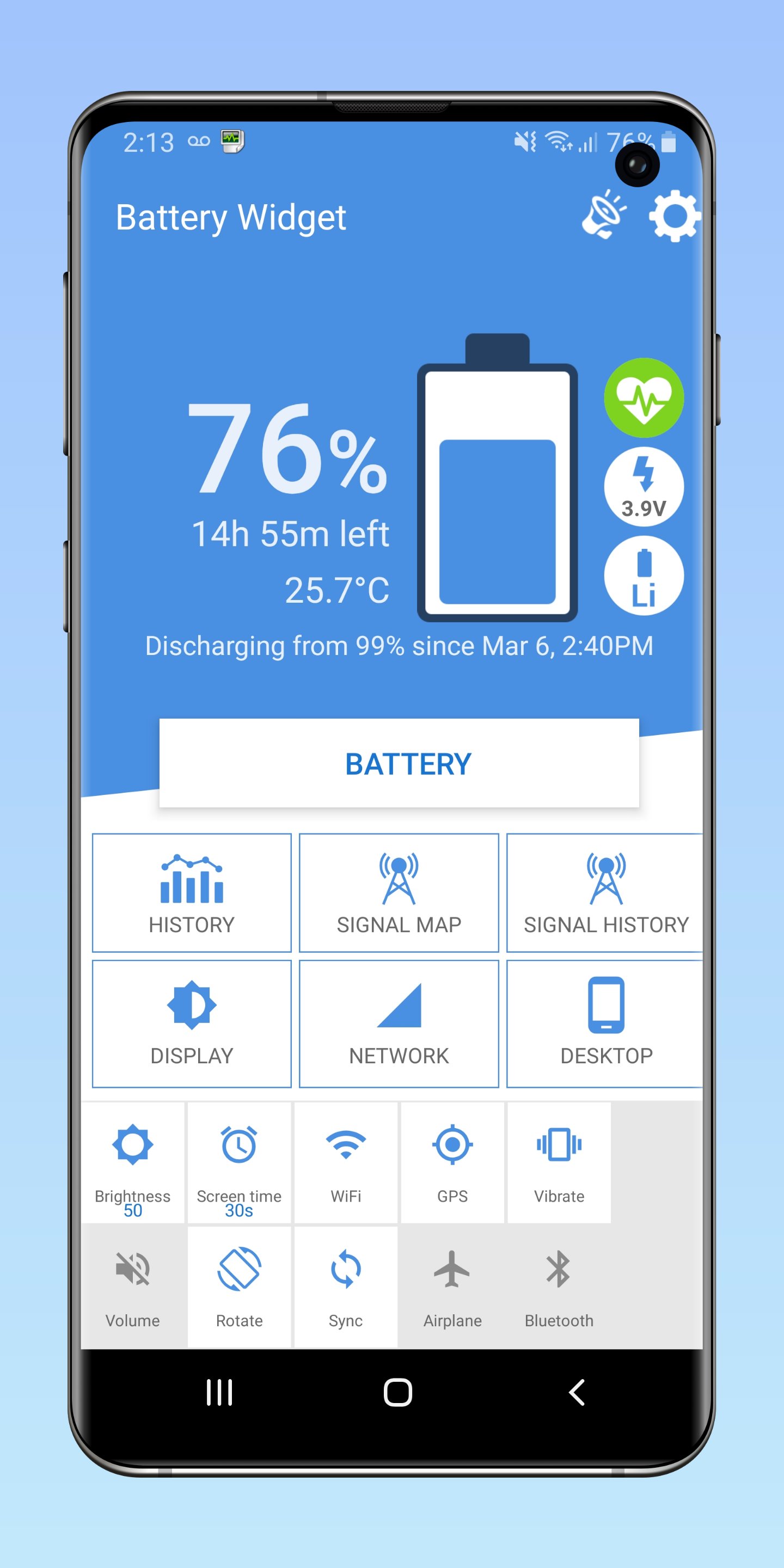
⭐️ Best Signal Finder Map
Check your mobile network signal strength in your location to know where your battery will last the longest. Phone battery drain increases as cellular strength decreases. Use our built-in signal finder to ensure you aren't wasting precious battery power searching for a connection in dead zones.
⭐️ Phone Battery History Graph
Acting as your daily battery checker, you can view your battery stats on a usage history graph. Use our widget shortcut to keep track of excessive battery drain. Easily identify why your phone battery is draining faster than it used to and maintain your long-term battery health.
⭐️ Custom Widget Builder
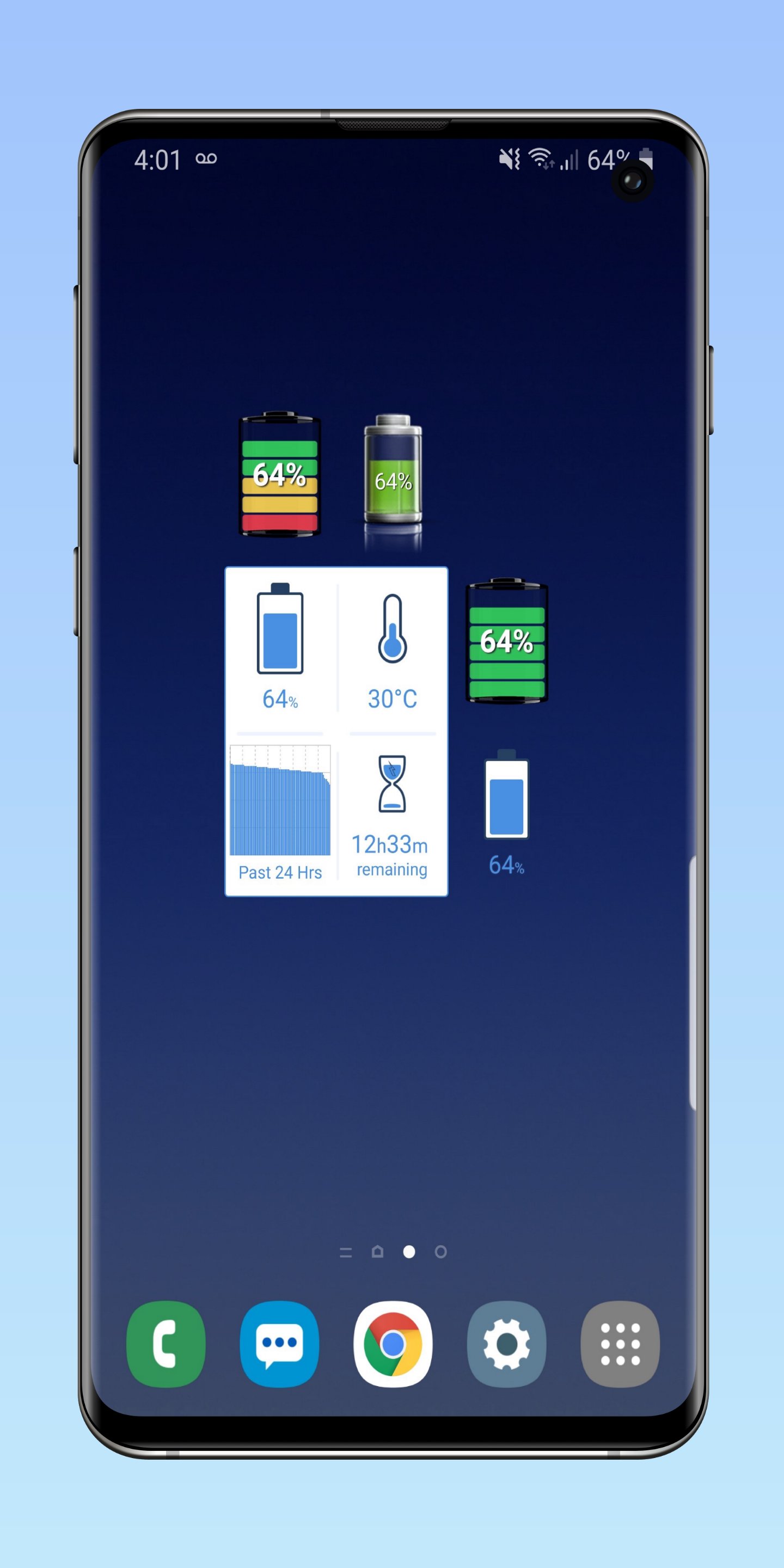
Build your custom batteries widget to display exactly what you need. Choose to show battery percent, monitor phone battery temperature, view the battery time remaining, or display your phone battery history. It’s the easiest way to show battery percentage on your home screen!
⭐️ Set Phone Battery Alarms
Customize your own battery alert notifications from 5 different alert conditions. Whether you need a full battery alarm (fully charged), want a battery sound notification when your level drops to a low battery, when the temperature rises, or want updates on your phone battery health condition, we have you covered.
⭐️ Desktop Toolbar Indicator
Prefer a minimalist look? We offer various toolbar indicator circle and font styles that will display your live battery status and battery level at a glance directly from your home screen. Always know your battery status without opening the battery app.
⭐️ Color Themes & Personalization
Custom battery color themes allow you to personalize and color my battery widget to your liking! Customize the battery widget app color theme to seamlessly blend with your custom wallpapers and icons.
⭐️ Widget Font Options
We provide extensive widget font color and size options to help perfectly match your desktop aesthetic. Build a batteries widget that looks like it was made natively for your phone.
WHY CHOOSE THIS BATTERY HEALTH APP?
Battery Widget now comes as a complete app with a live battery life widget included so you can conduct a quick battery life check anytime. Instead of downloading a basic tool, use our comprehensive system to monitor your battery stats, perform a routine battery life check, and maximize your batteries plus ensuring long-term device survival.
HOW TO INSTALL YOUR WIDGET:
To install the battery percentage widget onto your home screen:
1.
Go to your home screen or “Menu”
2.
Tap and hold on an empty space on your home screen
3.
Select -> Add -> Widgets -> Battery Widget
4.
Place it on your screen and instantly show battery percentage!
We are carefully listening to all of your reviews and requests. 5-star reviews are greatly appreciated and encourage us to continue improving Battery Widget Builder for you.
Avance
Etiquetas
HerramientasInformación
Desarrollador
M2Catalyst, LLC.
La última versión
8.8.1
Última actualización
2026-09-25
Categoría
Herramientas
Disponible en
Google Play
Mostrar más
Cómo jugar Battery Widget Builder con GameLoop en PC
1. Descargue GameLoop desde el sitio web oficial, luego ejecute el archivo exe para instalar GameLoop.
2. Abra GameLoop y busque "Battery Widget Builder", busque Battery Widget Builder en los resultados de búsqueda y haga clic en "Instalar".
3. Disfruta jugando Battery Widget Builder en GameLoop.
Minimum requirements
OS
Windows 8.1 64-bit or Windows 10 64-bit
GPU
GTX 1050
CPU
i3-8300
Memory
8GB RAM
Storage
1GB available space
Recommended requirements
OS
Windows 8.1 64-bit or Windows 10 64-bit
GPU
GTX 1050
CPU
i3-9320
Memory
16GB RAM
Storage
1GB available space