
Shimeji: Screen Buddies para PC
Digital Cosmos
Descarga Shimeji: Screen Buddies en PC con GameLoop Emulator
Shimeji: Screen Buddies en PC
Shimeji: Screen Buddies, proveniente del desarrollador Digital Cosmos, se ejecuta en el sistema Android en el pasado.
Ahora, puedes jugar Shimeji: Screen Buddies en PC con GameLoop sin problemas.
Descárgalo en la biblioteca de GameLoop o en los resultados de búsqueda. No más mirar la batería o llamadas frustrantes en el momento equivocado nunca más.
Simplemente disfrute de Shimeji: Screen Buddies PC en la pantalla grande de forma gratuita!
Shimeji: Screen Buddies Introducción
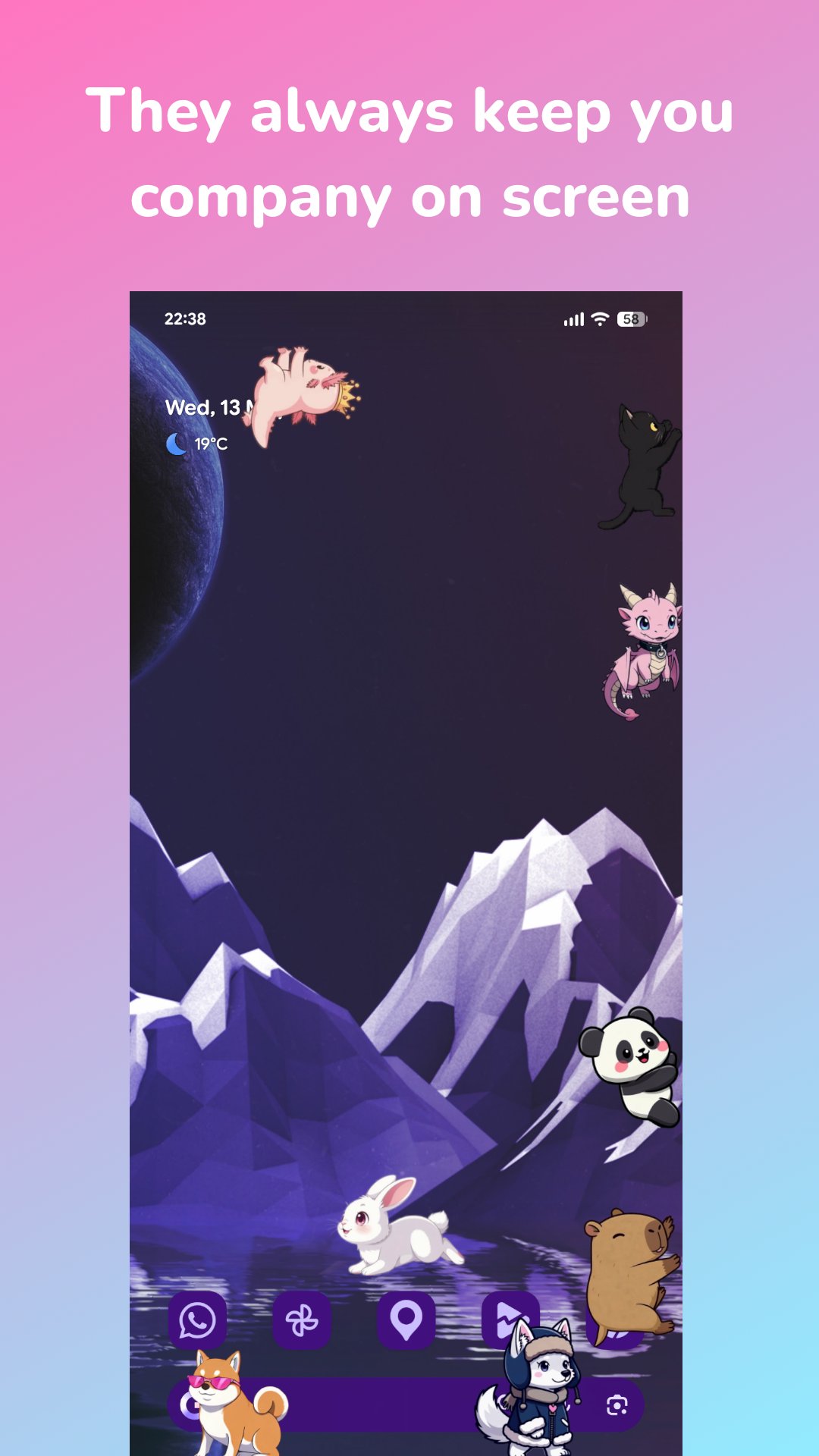
Your screen is about to get a lot cuter! Shimeji: Screen Buddies fills your phone with tiny pets that walk, climb, nap and play on top of your apps. And now you can create your dream buddy just by describing it ✨
✨ Cute screen pets, always with you
- Watch your buddies walk, climb, sit, sleep and explore on top of your apps
- Tap, drag and toss them to see how they react
- Run up to 10 characters at once for a screen full of fun
- They keep you company while you chat, study, draw or browse
🪄 Magic AI: describe it, and it comes to life
- Type your dream character — a pastel cat, a cookie dragon, anything!
- Add colors, outfits, accessories and fantasy details
- Pick your favorite from multiple generated options
🎬 Turn one picture into a living character
- A single image becomes walking, climbing, dancing, sleeping and more
- Keep only the frames you love with the frame picker
- Regenerate and adjust motions until they fit your mascot
🎨 Draw and edit every frame
- Brush, eraser, fill and color tools for every pose
- Import your own art and turn it into a live screen buddy
- Recolor, fix or restyle any frame — or duplicate a buddy and make it yours
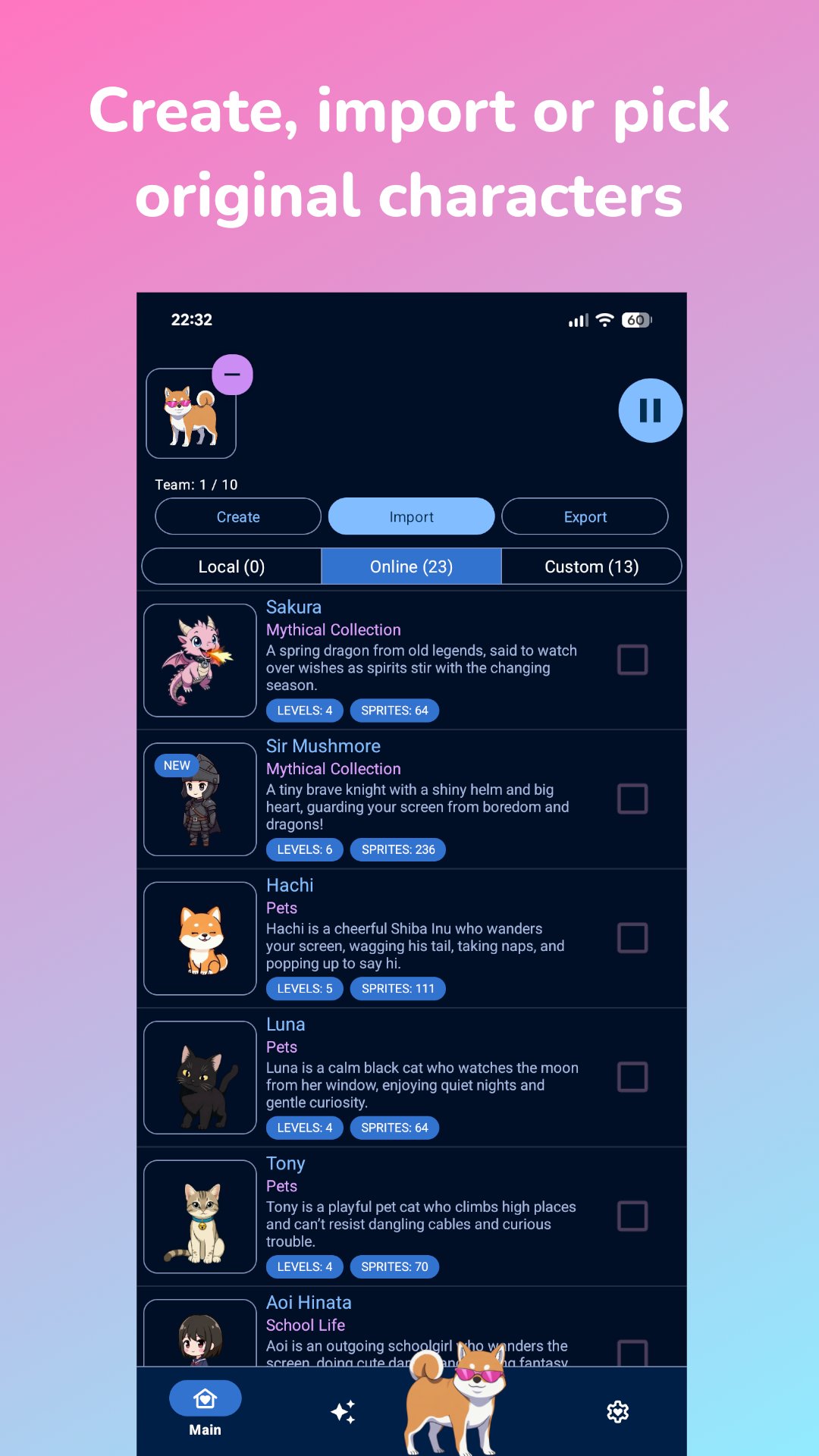
📦 Collect, create or import
- Download original mascots made for Shimeji: Screen Buddies
- Import compatible PC Shimeji packs and use them on Android
- Build your collection with the editor, Magic AI, or both
🎮 Level up your favorites
- Your Shimeji earn XP while they wander around your screen
- Level up to unlock new moves, poses and surprises
- Play with them for bonus XP and faster progress
⚙️ Smooth, smart and distraction-free
- New animation engine for smoother, more lifelike motion
- Ghost Mode: buddies stay visible but ignore touches while you game or chat
- Battery-friendly, with simple controls for size, speed and behavior
🛡️ Original content
All built-in characters are original creations for Shimeji: Screen Buddies. You can also draw your own, import compatible packs, or generate new originals with Magic AI.
Disclaimer
Shimeji: Screen Buddies is an independent app, unrelated to the Simeji keyboard and not affiliated with any anime, game, movie or third-party IP holders. Our brand name and logo, watermarked images, UI graphics and text, app source code, original characters and curated database are protected by copyright and trademark law.
🆕 What's new
- Magic AI: create original characters from a text description
- Magic animations from a single image, with frame picker
- Full frame-by-frame editor and compatible PC Shimeji pack import
- New animation engine, character levels, up to 10 buddies on screen
Adopt a buddy, create your own, and turn your phone into a tiny playground 💛
Avance
Etiquetas
PersonalizaciónInformación
Desarrollador
Digital Cosmos
La última versión
12.6
Última actualización
2026-06-21
Categoría
Personalización
Disponible en
Google Play
Mostrar más
Cómo jugar Shimeji: Screen Buddies con GameLoop en PC
1. Descargue GameLoop desde el sitio web oficial, luego ejecute el archivo exe para instalar GameLoop.
2. Abra GameLoop y busque "Shimeji: Screen Buddies", busque Shimeji: Screen Buddies en los resultados de búsqueda y haga clic en "Instalar".
3. Disfruta jugando Shimeji: Screen Buddies en GameLoop.
Minimum requirements
OS
Windows 8.1 64-bit or Windows 10 64-bit
GPU
GTX 1050
CPU
i3-8300
Memory
8GB RAM
Storage
1GB available space
Recommended requirements
OS
Windows 8.1 64-bit or Windows 10 64-bit
GPU
GTX 1050
CPU
i3-9320
Memory
16GB RAM
Storage
1GB available space