
Shell: Fuel, Charge & More PC
Shell Information Technology International B.V.
Download Shell: Fuel, Charge & More on PC With GameLoop Emulator
Shell: Fuel, Charge & More sa PC
Ang Shell: Fuel, Charge & More, na nagmumula sa developer na Shell Information Technology International B.V., ay tumatakbo sa Android systerm sa nakaraan.
Ngayon, maaari mong laruin ang Shell: Fuel, Charge & More sa PC gamit ang GameLoop nang maayos.
I-download ito sa GameLoop library o mga resulta ng paghahanap. Hindi na tumitingin sa baterya o nakakadismaya na mga tawag sa maling oras.
I-enjoy lang ang Shell: Fuel, Charge & More PC sa malaking screen nang libre!
Shell: Fuel, Charge & More Panimula
The Shell App is designed to help you make the most of your stop!
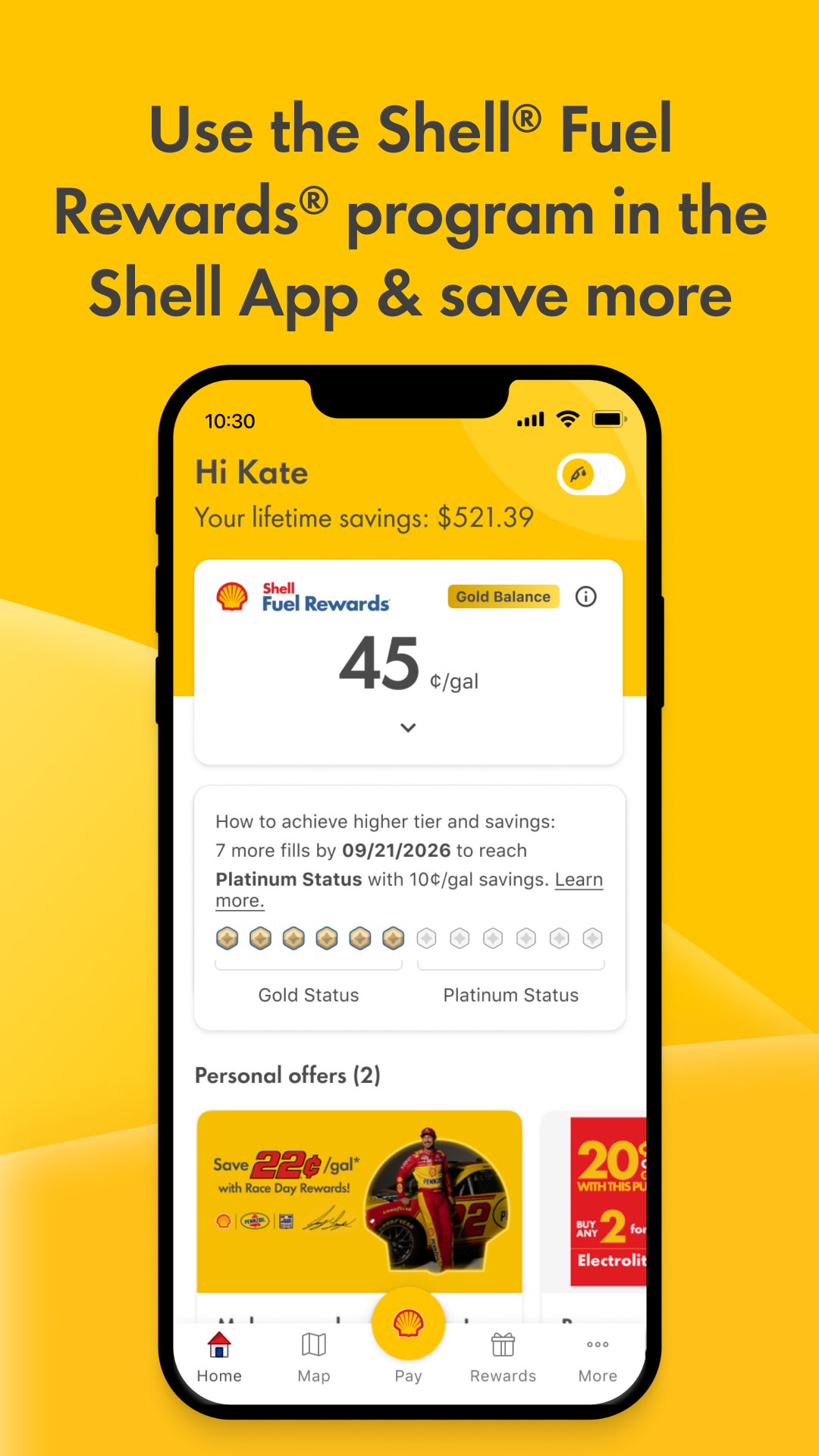
Shell® Fuel Rewards® Program
•Join the Shell® Fuel Rewards® Program to save at the pump. See full Terms & Conditions for details.
•Earn additional fuel savings by using mobile payment in the Shell App.
•The more you fill, the more you save. Platinum Status members save 10c/gallon.
• View and manage your rewards in the Shell® Fuel Rewards® Hub, and easily link your loyalty accounts for added savings.
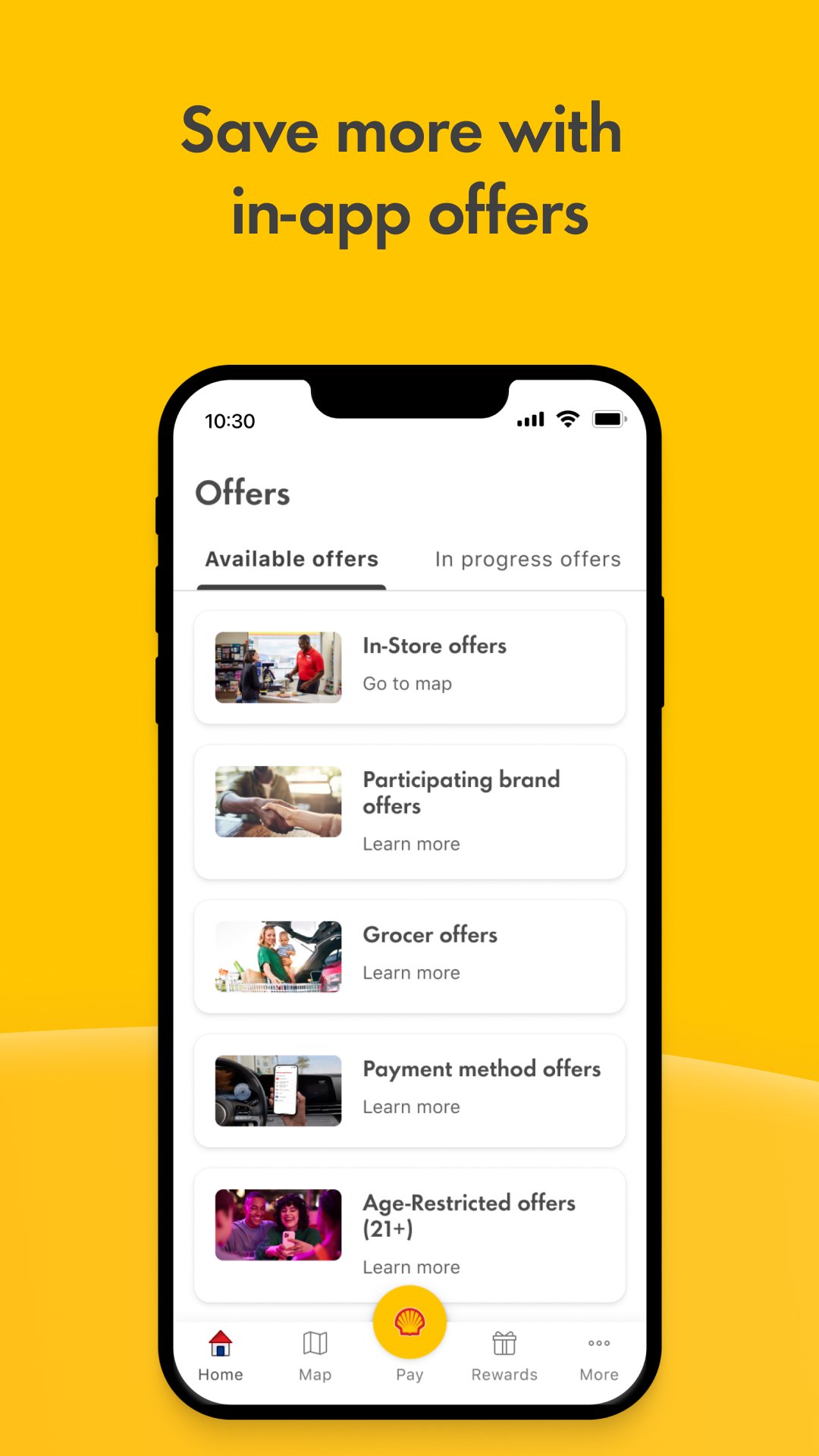
•Browse Fuel, In-store, Dining, Grocer, and Participating brand offers – all in one app.
•As a new Shell® Fuel Rewards® Member, you'll save 10c/gal on your 1st fill, 20c/gal on your 2nd fill, and 30c/gal on your 3rd fill.
•As a Shell® Fuel Rewards® Member, stack your loyalty savings with 4% back when you fill up or charge at Shell using the new Shell Performance Elite Credit Card.
Fast, secure mobile payment
•Easy, convenient payment from your phone—no need to swipe a credit card or enter your Fuel Rewards Alt ID.
•Use mobile payment with your Shell branded credit card, Mobile Checking, Google Pay, Samsung Pay or directly add your credit/debit card: Visa, Mastercard, American Express or Discover.
•Add or buy Shell eGift cards directly in the App.
•View your receipts, rewards, and offers all in one place.
Find a Shell station
•Quickly locate nearby Shell stations, view fuel pricing and activate in-store offers, and see which ones accept mobile payment.
Charge your EV with Shell Recharge
•Access 115,000+ charging points in the Shell Recharge roaming network across the U.S.
•Find chargers, check availability, start/stop charging, and pay—all in the App.
This app is intended for use by individuals aged 18 and older in the United States.
Equilon Enterprises LLC doing business as Shell Oil Products US, LLC (“SOPUS”) is the data controller and determines how your personal information is collected and used in this app. Shell Information Technology International B.V. is the Developer of the app and publishes it on behalf of SOPUS.
Preview
Tags
Auto-&Information
Developer
Shell Information Technology International B.V.
Latest Version
9.7.0
Last Updated
2026-08-20
Category
Auto-vehicles
Available on
Google Play
Show More
How to play Shell: Fuel, Charge & More with GameLoop on PC
1. Download GameLoop from the official website, then run the exe file to install GameLoop
2. Open GameLoop and search for “Shell: Fuel, Charge & More” , find Shell: Fuel, Charge & More in the search results and click “Install”
3. Enjoy playing Shell: Fuel, Charge & More on GameLoop
Minimum requirements
OS
Windows 8.1 64-bit or Windows 10 64-bit
GPU
GTX 1050
CPU
i3-8300
Memory
8GB RAM
Storage
1GB available space
Recommended requirements
OS
Windows 8.1 64-bit or Windows 10 64-bit
GPU
GTX 1050
CPU
i3-9320
Memory
16GB RAM
Storage
1GB available space