Find My Lost Phone & Security PC
AppSoNix
قم بتنزيل Find My Lost Phone & Security على جهاز الكمبيوتر باستخدام GameLoop Emulator
Find My Lost Phone & Security على الكمبيوتر الشخصي
Find My Lost Phone & Security ، القادم من المطور AppSoNix ، يعمل على نظام Android في الماضي.
الآن ، يمكنك لعب Find My Lost Phone & Security على جهاز الكمبيوتر باستخدام GameLoop بسلاسة.
قم بتنزيله في مكتبة GameLoop أو في نتائج البحث. لا مزيد من الانتباه إلى البطارية أو المكالمات المحبطة في الوقت الخطأ بعد الآن.
ما عليك سوى الاستمتاع بجهاز Find My Lost Phone & Security على الشاشة الكبيرة مجانًا!
Find My Lost Phone & Security مقدمة
Find My Phone — Locate, Lock & Capture is a powerful phone tracker and security tool that helps you recover lost devices, protect personal data, and safeguard your privacy. Whether your phone is misplaced at home, left behind in the office, or stolen, this app gives you full control from another device connected with your email.
Simply connect two or more phones with the same email, and you can remotely track, secure, and manage them. Unlike ordinary phone tracker apps, this solution combines advanced recovery, anti-theft, and privacy features — all in one lightweight package.
🔑 Key Features
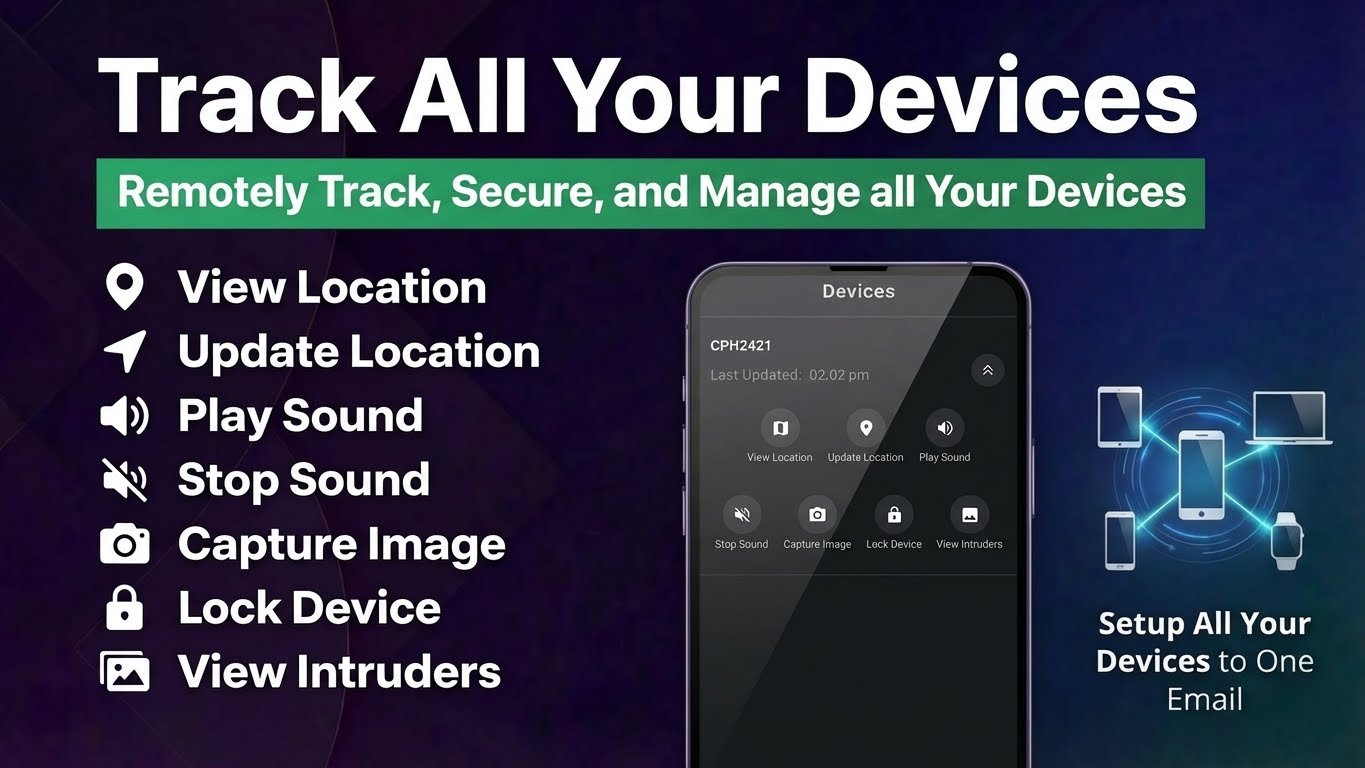
Real-Time Location Tracking — Instantly check the live location of your phone and refresh the position whenever needed. Stay aware of where your device is at all times.
Update Location — Request an updated location anytime so you always get the most accurate information.
Play Sound — Make your phone ring at full volume, even when in silent or vibrate mode, so you can quickly locate it nearby.
Capture Intruder Photo — Use the remote camera feature to capture an image of the person holding your phone. Great for identifying intruders or thieves.
Remote Lock — Protect sensitive information by locking your device remotely. This ensures that your private data stays safe until you recover the phone.
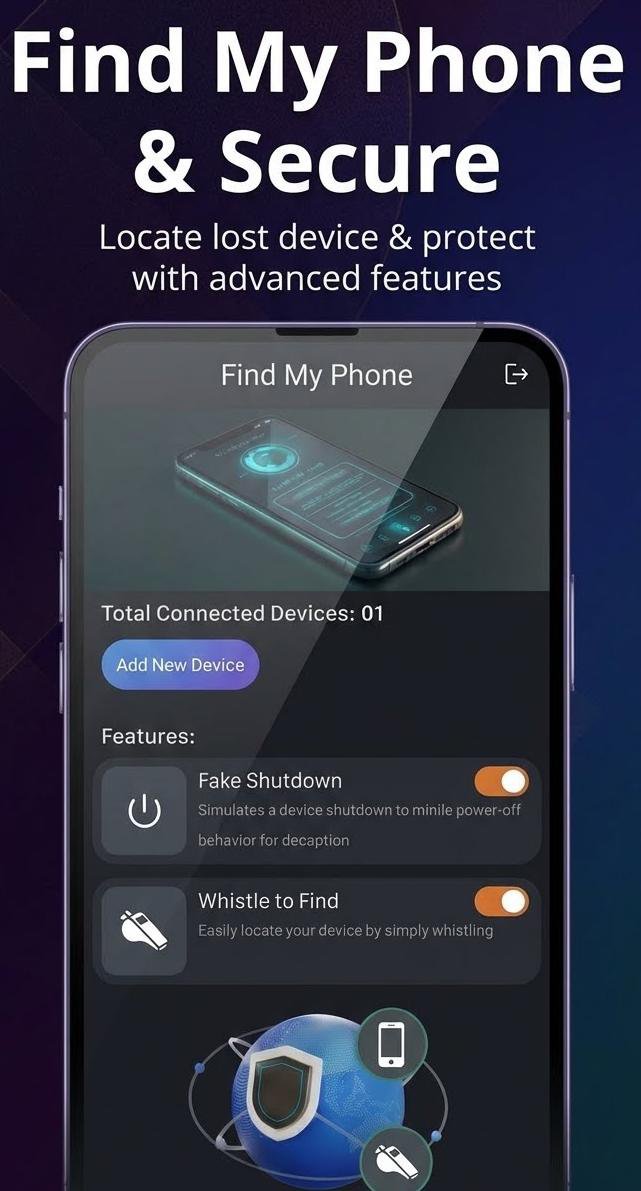
Whistle-to-Find — Misplaced your phone indoors? Just whistle, and your phone will instantly respond with a sound alert to guide you.
Fake Shutdown — Prevent snooping and deception. When activated, your phone will mimic a powered-off state, but the app continues to run in the background. Only plugging in the charger can bring it back to normal mode.
👨👩👧 Why Users Love It
Simple setup with one email for multiple devices.
Reliable recovery with GPS, alerts, and photo capture.
Extra privacy with Fake Shutdown mode.
Battery-friendly and lightweight.
Designed for families, individuals, and professionals who want peace of mind.
📌 Accessibility Service Disclosure
This app uses the AccessibilityService API only for the Fake Shutdown feature:
Allows the app to show a simulated shutdown screen that helps prevent unauthorized access.
We do not use Accessibility for call recording, screen content reading, or modifying user settings.
This permission is optional, must be granted manually, and can be disabled anytime in system settings.
📌 Device Admin Disclosure
This app uses the Device Administrator permission only for the Remote Lock feature:
Enables you to lock your device remotely if it’s lost or stolen.
We do not use Device Admin to wipe data, prevent app uninstallation, or make changes without your approval.
You can turn this permission off anytime from system settings.
🔒 Privacy & Security
No personal data is ever shared with third parties.
All permissions are requested only when required for features.
Remote actions work exclusively on devices connected with your own email.
This app is built for personal security and recovery — not for monitoring others without their consent.
✅ Why Choose Find My Phone?
Unlike standard phone trackers, Find My Phone — Locate, Lock & Capture combines tracking, whistle alerts, intruder capture, fake shutdown, and remote lock into a single trusted app. It’s the complete solution for securing your device and protecting your privacy.
Download now and stay one step ahead of phone loss or theft with smart protection features you can trust.
معاينة
العلامات
Maps-&معلومة
مطور
AppSoNix
احدث اصدار
3.0
آخر تحديث
2025-10-28
فئة
Maps-navigation
متاح على
Google Play
أظهر المزيد
كيف تلعب Find My Lost Phone & Security مع GameLoop على جهاز الكمبيوتر
1. قم بتنزيل GameLoop من الموقع الرسمي ، ثم قم بتشغيل ملف exe لتثبيت GameLoop.
2. افتح GameLoop وابحث عن "Find My Lost Phone & Security" ، وابحث عن Find My Lost Phone & Security في نتائج البحث وانقر على "تثبيت".
3. استمتع بلعب Find My Lost Phone & Security على GameLoop.
Minimum requirements
OS
Windows 8.1 64-bit or Windows 10 64-bit
GPU
GTX 1050
CPU
i3-8300
Memory
8GB RAM
Storage
1GB available space
Recommended requirements
OS
Windows 8.1 64-bit or Windows 10 64-bit
GPU
GTX 1050
CPU
i3-9320
Memory
16GB RAM
Storage
1GB available space