
Car Link - Auto Screen Mirror PC
Flavapp
قم بتنزيل Car Link - Auto Screen Mirror على جهاز الكمبيوتر باستخدام GameLoop Emulator
Car Link - Auto Screen Mirror على الكمبيوتر الشخصي
Car Link - Auto Screen Mirror ، القادم من المطور Flavapp ، يعمل على نظام Android في الماضي.
الآن ، يمكنك لعب Car Link - Auto Screen Mirror على جهاز الكمبيوتر باستخدام GameLoop بسلاسة.
قم بتنزيله في مكتبة GameLoop أو في نتائج البحث. لا مزيد من الانتباه إلى البطارية أو المكالمات المحبطة في الوقت الخطأ بعد الآن.
ما عليك سوى الاستمتاع بجهاز Car Link - Auto Screen Mirror على الشاشة الكبيرة مجانًا!
Car Link - Auto Screen Mirror مقدمة
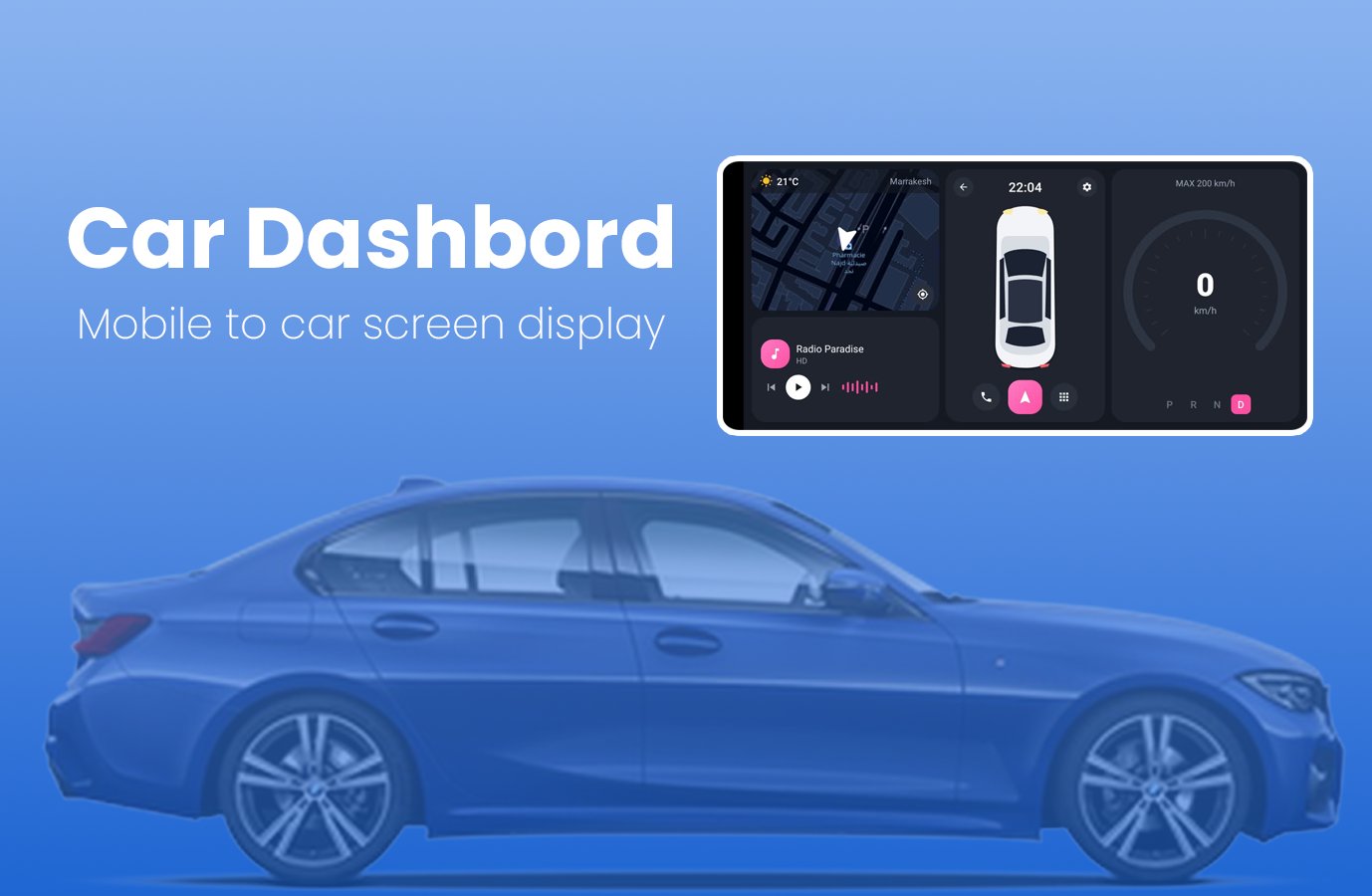
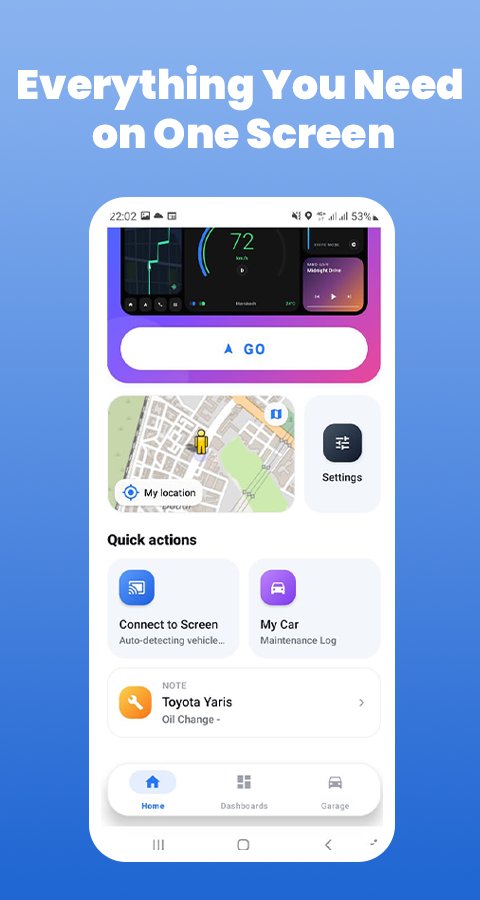
CarLink turns your Android phone into a clear driving display. Mount your phone in landscape and see your speed, map, weather and radio on one screen. You can also keep a simple service log for your car.
The app runs on your phone only. It does not connect to your car and does not read vehicle data.
DASHBOARD STYLES
Choose from 6 layouts and change them at any time:
• Classic: map, speed and media in three panels
• Glass: full-screen night map with floating panels
• Navigator: map first, with a speed card
• Cockpit: arc speedometer, map and radio
• Neon: large speed display on a black background
• Aurora: widget cards for map, radio and weather
ON YOUR DASHBOARD
• GPS speed: shown in km/h, using your phone's location
• Live map: follows your position
• Weather: current temperature and city name
• Internet radio: play, pause and switch stations
• Clock: always visible, and the screen stays on while the dashboard is open
• Phone: dial pad and contacts, calls open in your phone app
• Apps: open your installed apps from the dashboard
SERVICE LOG
Keep your car's maintenance history in one place:
• Pick your car's make, model and year
• Save oil changes, tire rotations, brake checks and more
• Add the date, mileage, next due date and notes
LANGUAGES
English, French, Spanish, German and Arabic.
PERMISSIONS
• Location: speed, map position and local weather
• Contacts: optional, to show your contacts on the phone screen
• Internet: map, weather, radio and ads
GOOD TO KNOW
• Speed comes from GPS and can differ from your car's speedometer.
• Map, weather and radio need an internet connection.
• This app contains ads.
SAFETY
Set up the app before you drive and keep your phone in a secure mount. Follow local traffic laws and keep your eyes on the road.
CREDITS AND SUPPORT
Map data © OpenStreetMap contributors. Weather data by Open-Meteo.
Car make and model names only help you identify your vehicle. This app is independent and is not affiliated with any car maker.
Questions? Contact info@flavapp.online
معاينة
العلامات
أدواتLibraries-&Auto-&معلومة
مطور
Flavapp
احدث اصدار
45.0
آخر تحديث
2026-10-30
فئة
أدوات
متاح على
Google Play
أظهر المزيد
كيف تلعب Car Link - Auto Screen Mirror مع GameLoop على جهاز الكمبيوتر
1. قم بتنزيل GameLoop من الموقع الرسمي ، ثم قم بتشغيل ملف exe لتثبيت GameLoop.
2. افتح GameLoop وابحث عن "Car Link - Auto Screen Mirror" ، وابحث عن Car Link - Auto Screen Mirror في نتائج البحث وانقر على "تثبيت".
3. استمتع بلعب Car Link - Auto Screen Mirror على GameLoop.
Minimum requirements
OS
Windows 8.1 64-bit or Windows 10 64-bit
GPU
GTX 1050
CPU
i3-8300
Memory
8GB RAM
Storage
1GB available space
Recommended requirements
OS
Windows 8.1 64-bit or Windows 10 64-bit
GPU
GTX 1050
CPU
i3-9320
Memory
16GB RAM
Storage
1GB available space