
GPS Camera Photo With Location PC
Art DS Apps
Download GPS Camera Photo With Location on PC With GameLoop Emulator
GPS Camera Photo With Location sa PC
Ang GPS Camera Photo With Location, na nagmumula sa developer na Art DS Apps, ay tumatakbo sa Android systerm sa nakaraan.
Ngayon, maaari mong laruin ang GPS Camera Photo With Location sa PC gamit ang GameLoop nang maayos.
I-download ito sa GameLoop library o mga resulta ng paghahanap. Hindi na tumitingin sa baterya o nakakadismaya na mga tawag sa maling oras.
I-enjoy lang ang GPS Camera Photo With Location PC sa malaking screen nang libre!
GPS Camera Photo With Location Panimula
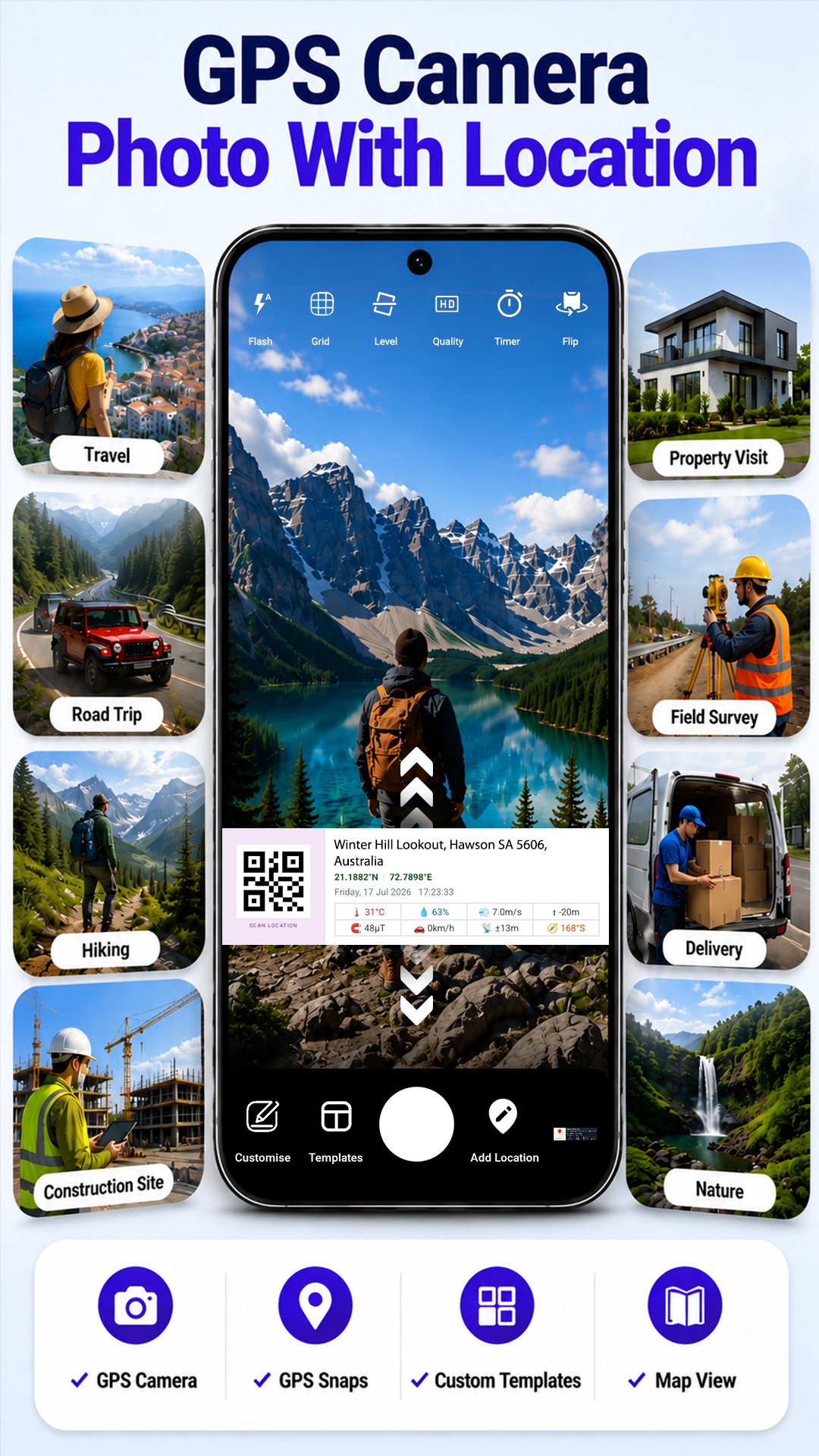
Capture photos with location, time, weather, and map information in one place. GPS Camera Photo with Location helps you add useful GPS details directly to your photos while keeping the information clear, customizable, and easy to read.
Whether you're traveling, visiting job sites, documenting inspections, recording outdoor activities, or simply organizing memories, you can create photos with the location details that matter.
📷 Live GPS Camera
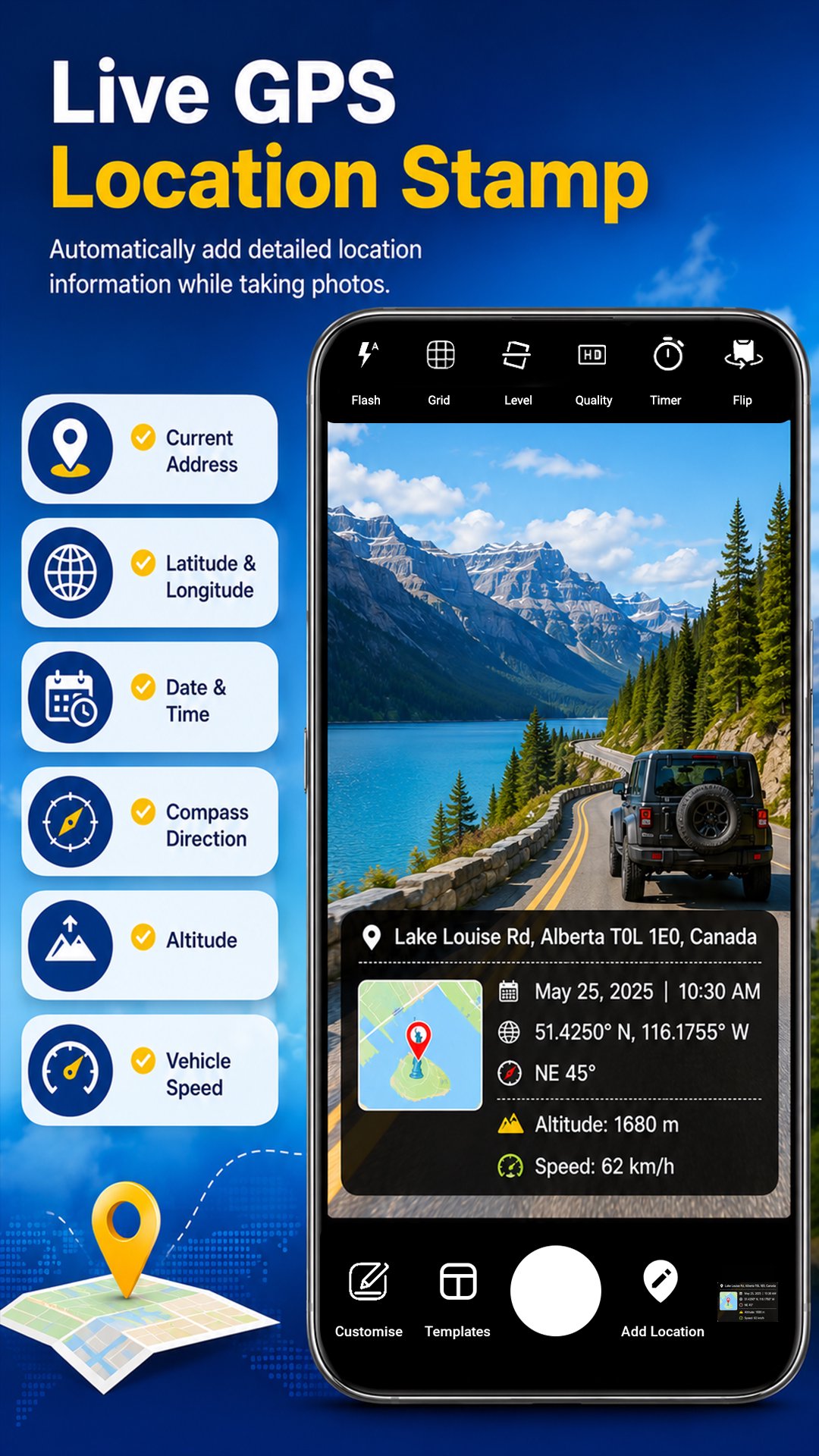
Take photos directly from the built-in camera with live location information displayed on the image.
Your photos can include:
• Location on Map
• Address
• Date & Time
• Latitude & Longitude
• Weather Information
• Temperature
• Compass Direction
• Altitude
• Vehicle Speed
• Magnetic Field
• Sensor Details
🎨 Multiple GPS Stamp Templates
Choose the style that matches your needs.
Available templates include:
• Advanced
• Professional
• Minimal
• Weather
• Compass
• Date & Time
• Scan Location
• Check-In
• Field Report
• Urban
• Nature
• Travel
You can also create your own custom template by choosing exactly which information to display.
✨ Move & Resize the GPS Stamp
Position the location stamp anywhere on the camera preview before capturing your photo.
• Move the stamp freely
• Resize it to fit your composition
• Place it where it looks best
🖼️ Add GPS Details to Gallery Photos
Already have a photo?
Select any image from your gallery and add GPS information with the same templates and customization options available in the camera.
⚙️ Customize Every Detail
Make the GPS stamp your own.
You can:
• Show or hide individual information
• Change text colors
• Adjust banner transparency
• Select your preferred default template
• Create personalized stamp layouts
📍 Manual Address Support
Enter your own address whenever needed.
This is useful when GPS information is unavailable or when you want a different address displayed on the photo.
🗺️ View Your Captured Photos
Browse your captured photos or view them on the map for quick access to your saved locations.
📸 GPS Snap
Create GPS-themed photo designs using different snap styles.
You can also import photos from your gallery and apply your preferred GPS stamp design.
GPS Camera Photo with Location is designed for travelers, field workers, surveyors, engineers, photographers, delivery professionals, outdoor enthusiasts, and anyone who wants to keep location information together with their photos.
Preview
Tags
Maps-&Information
Developer
Art DS Apps
Latest Version
1.43
Last Updated
2026-10-21
Category
Maps-navigation
Available on
Google Play
Show More
How to play GPS Camera Photo With Location with GameLoop on PC
1. Download GameLoop from the official website, then run the exe file to install GameLoop
2. Open GameLoop and search for “GPS Camera Photo With Location” , find GPS Camera Photo With Location in the search results and click “Install”
3. Enjoy playing GPS Camera Photo With Location on GameLoop
Minimum requirements
OS
Windows 8.1 64-bit or Windows 10 64-bit
GPU
GTX 1050
CPU
i3-8300
Memory
8GB RAM
Storage
1GB available space
Recommended requirements
OS
Windows 8.1 64-bit or Windows 10 64-bit
GPU
GTX 1050
CPU
i3-9320
Memory
16GB RAM
Storage
1GB available space